Microsoft Technical Takeoff 2025 highlights
Introduction
This years Microsoft Technical Takeoff covers everything new around Intune, Windows (in the Cloud), Copilot, Security and more. It is a technical event, hosted online, free and full blown with content! Microsoft shows off recent innovation and new features around Modern Work, Security and Devices.
This post summarizes my highlights and provides you the key takeaways to stay on the edge 😎.
TL;DR
- Windows 365 & AVD: Strong push for cloud-based Windows. Windows 365 Link management + security announcements.
- Windows 365 Frontline Shared: Enables multiple users to share a Cloud PC instance with non-persistent sessions.
- Windows Cloud Resiliency: Ensures uptime with global-scale redundancy and secure connectivity.
- Copilot in Intune: AI-powered insights enhance device management, troubleshooting, and policy handling.
- Intune Latency & Architecture: Improved device check-ins using different channels, reducing delays in policy application.
- Windows Hotpatch: In-memory Windows updates without restarts, enhancing uptime.
- Windows Kiosk: Multi-app kiosk mode with deeper customization via Assigned Access XML.
- Intune Data Platform: Real-time & cached device queries for deeper analytics.
- Administrator Protection: Just-in-Time (JIT) admin access reduces security risks.
- Connected Cache: Local caching of Microsoft content for bandwidth optimization.
- Windows LAPS: Fully automated local admin password management, advanced feature support.
- Remote Help: New features across operating systems.
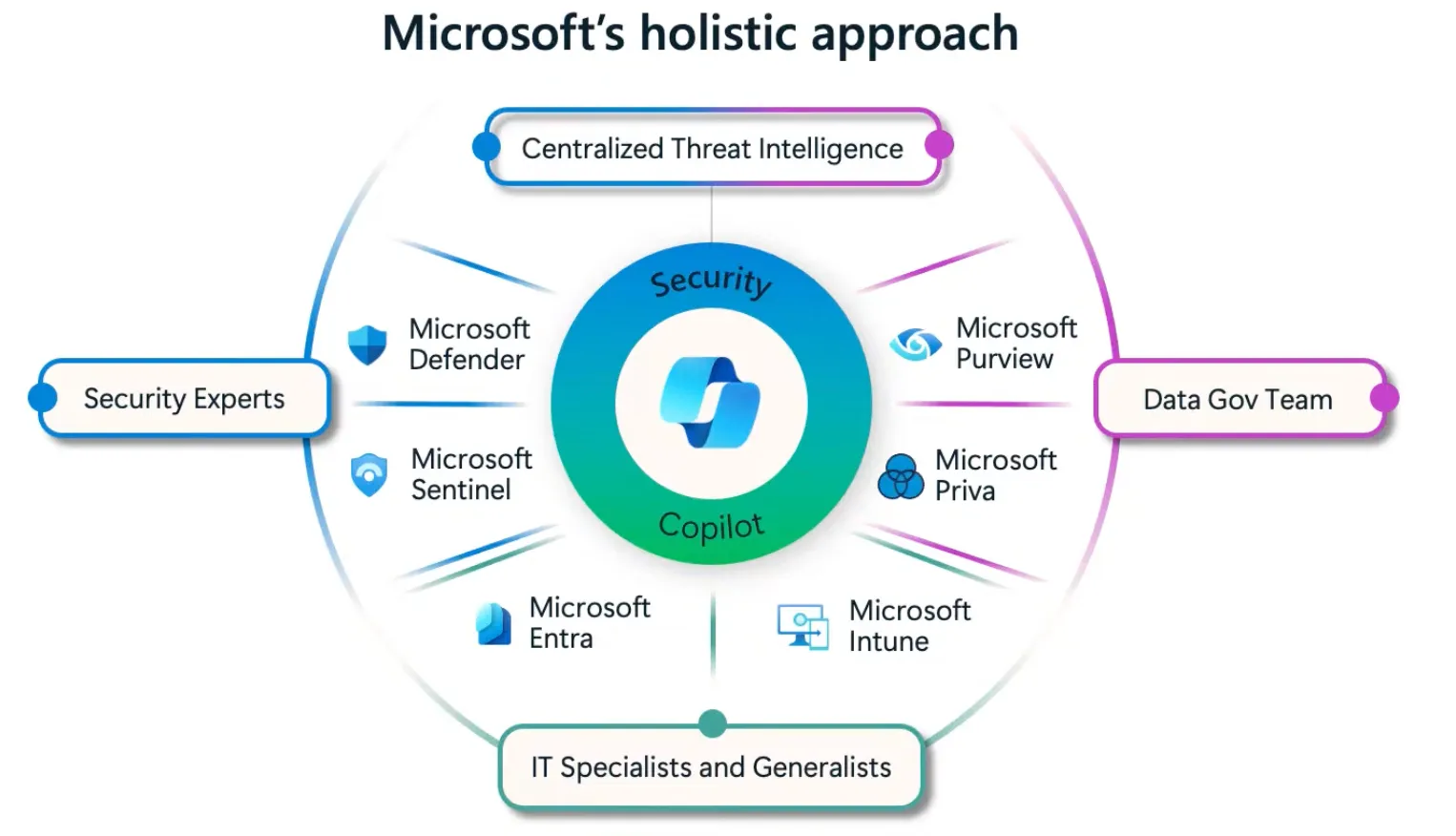
First and foremost, security is a top priority in the industry, and Microsoft strategically integrates built-in security across its products (Secure Future Initiative, SFI) and delivers security value to customers. At Technical Takeoff security is a core component in all products and features.
Windows 365
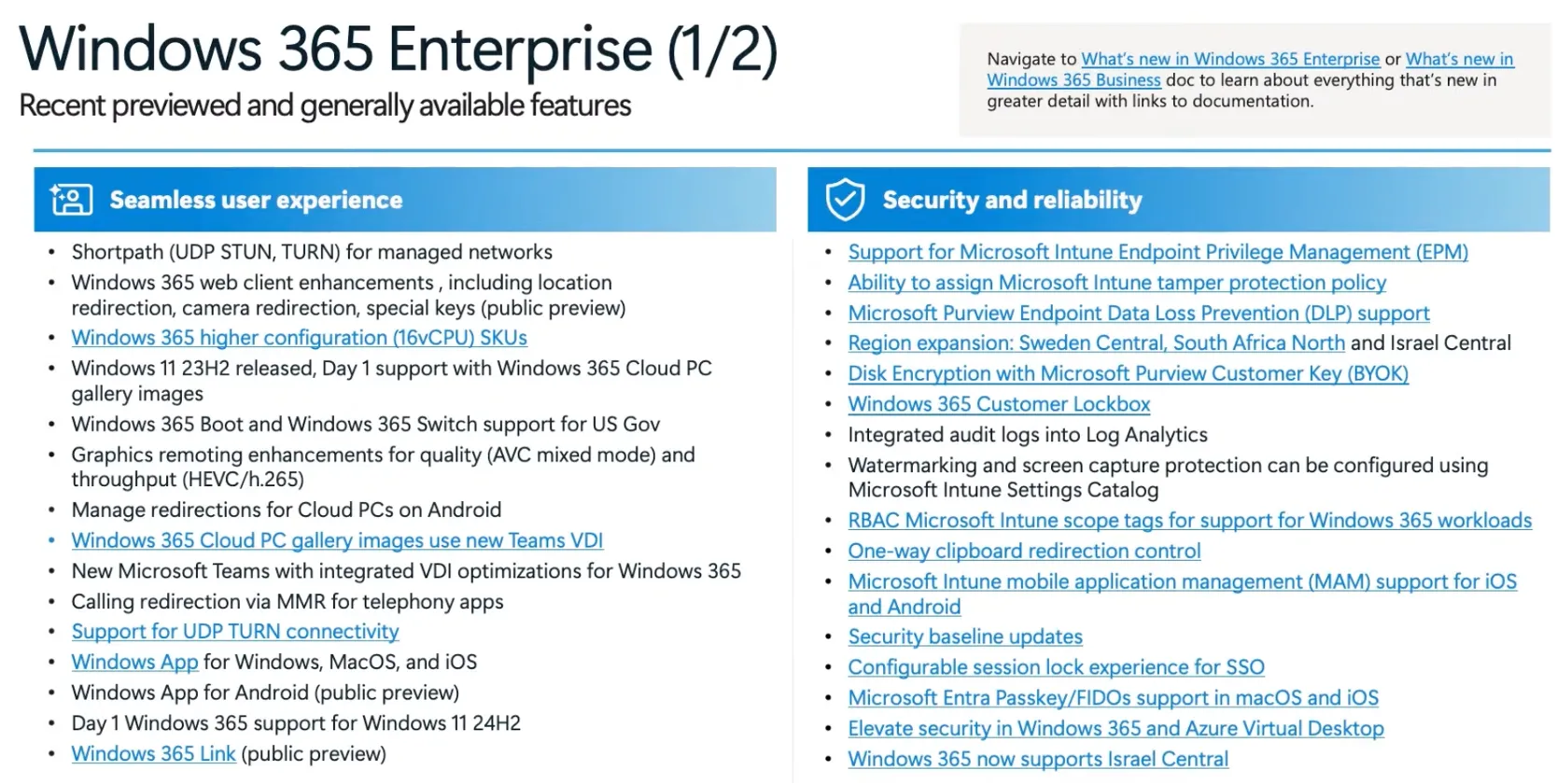
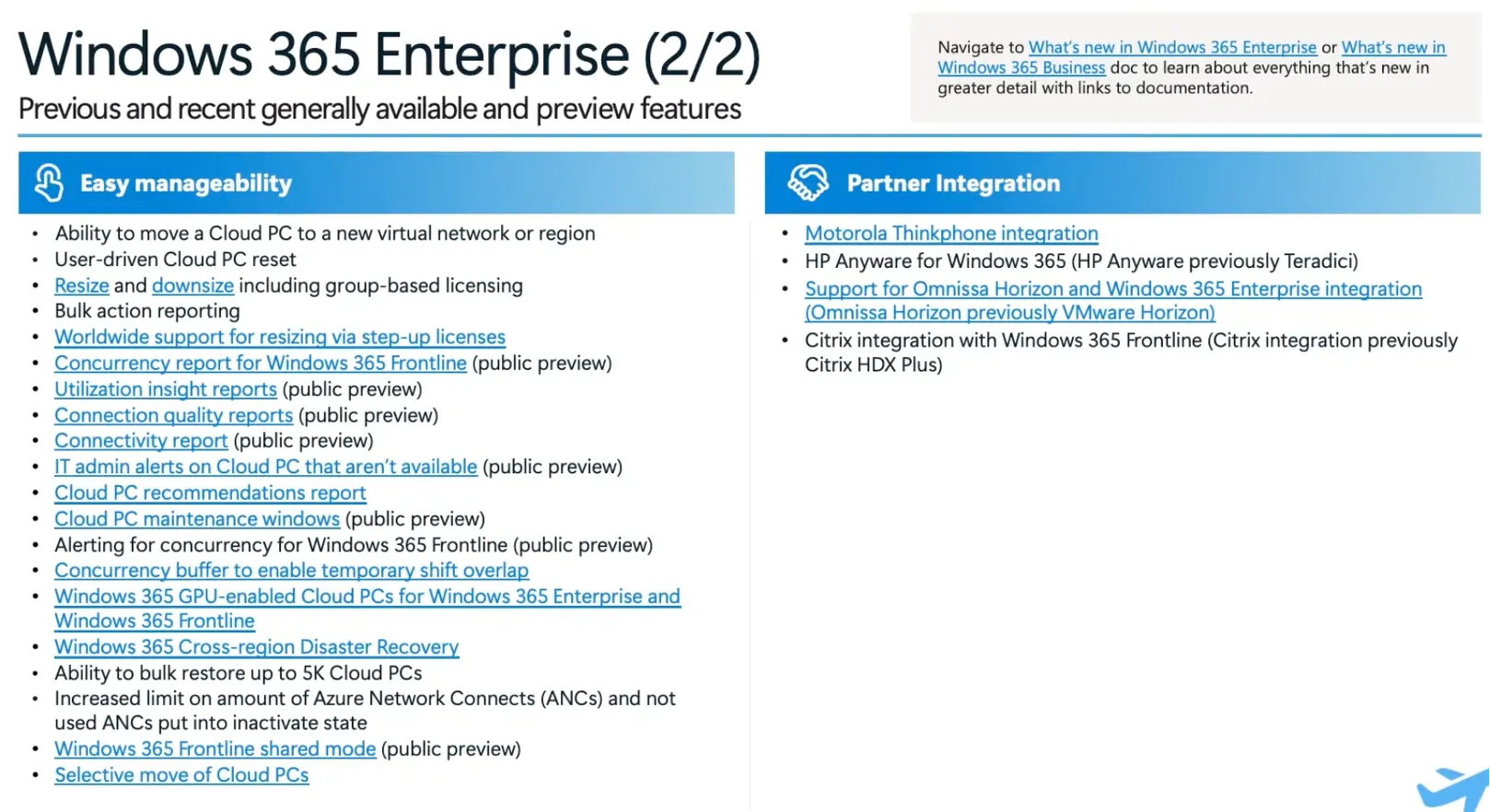
Windows 365 and Azure Virtual Desktop (AVD) is the cloud workplace offering of Microsoft, which is pushed strongly during the event to increase and improve customer usage & adoption. Windows Cloud is one of the hottest topics right now.
Windows 365 Link
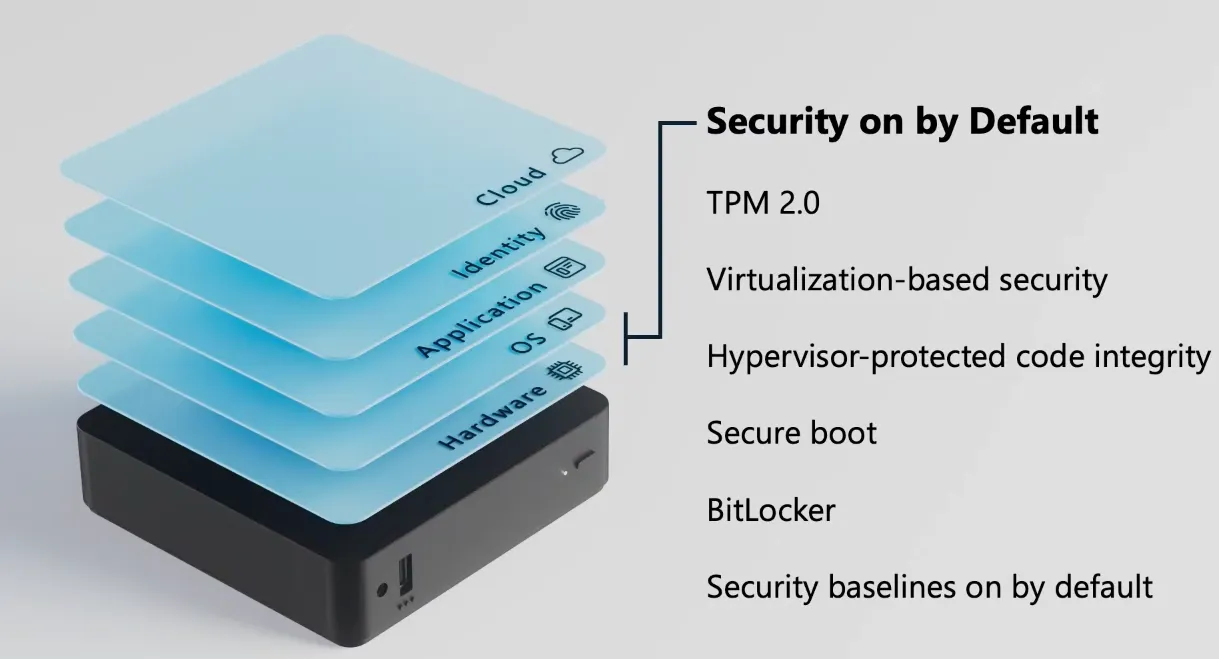
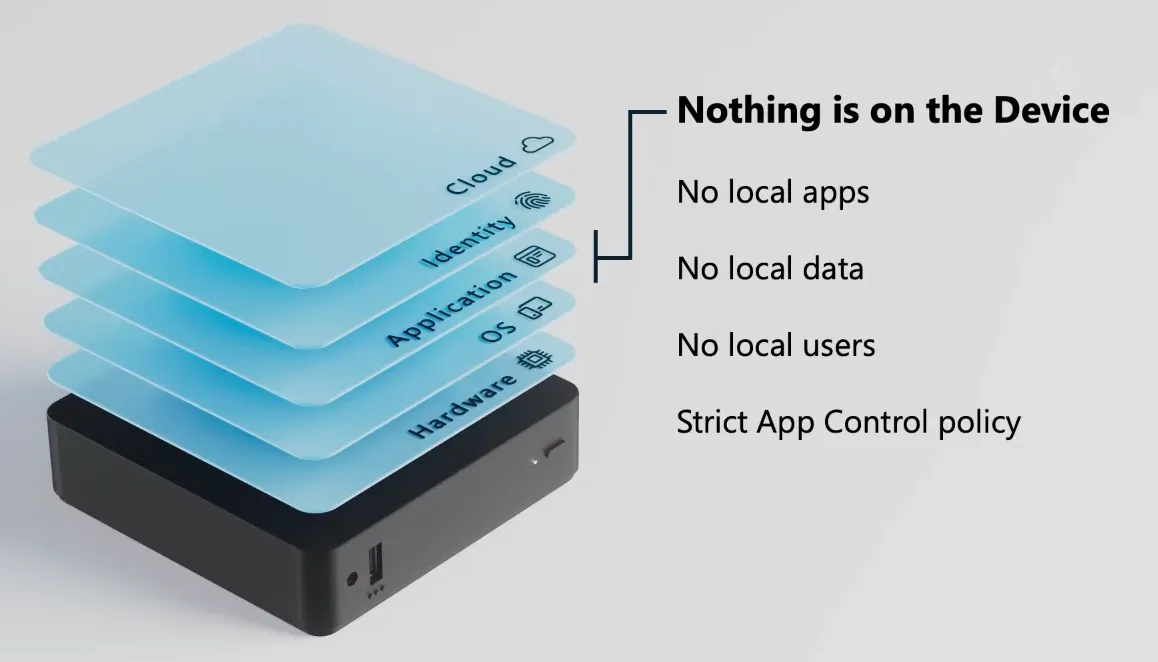
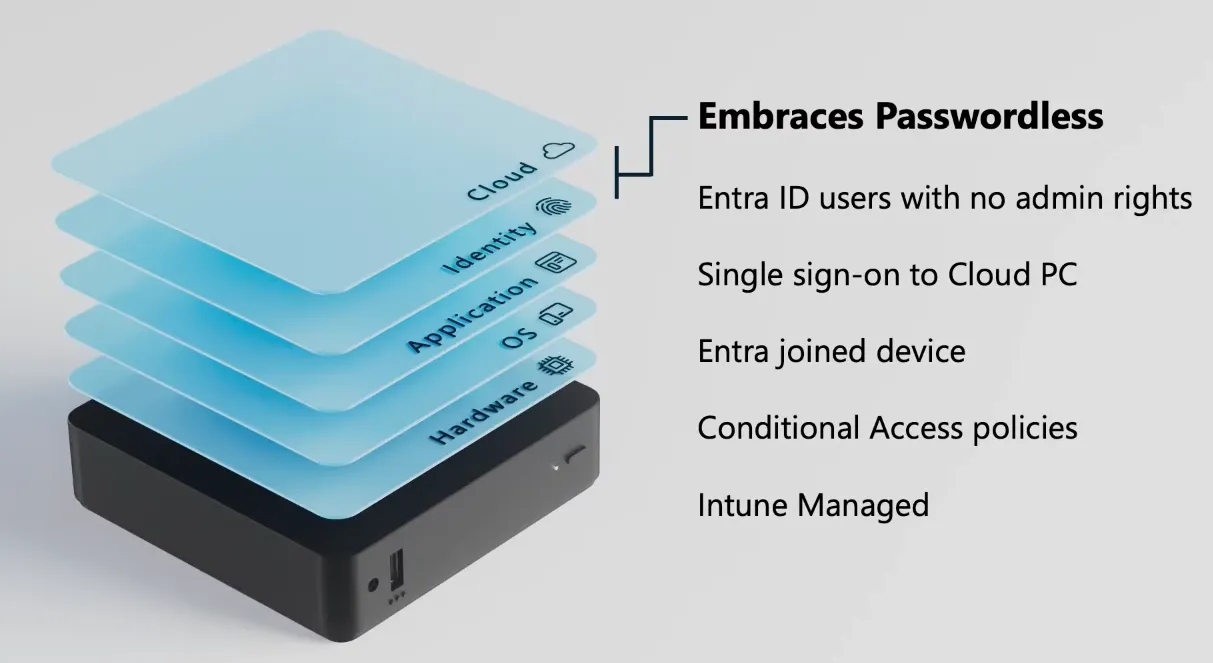
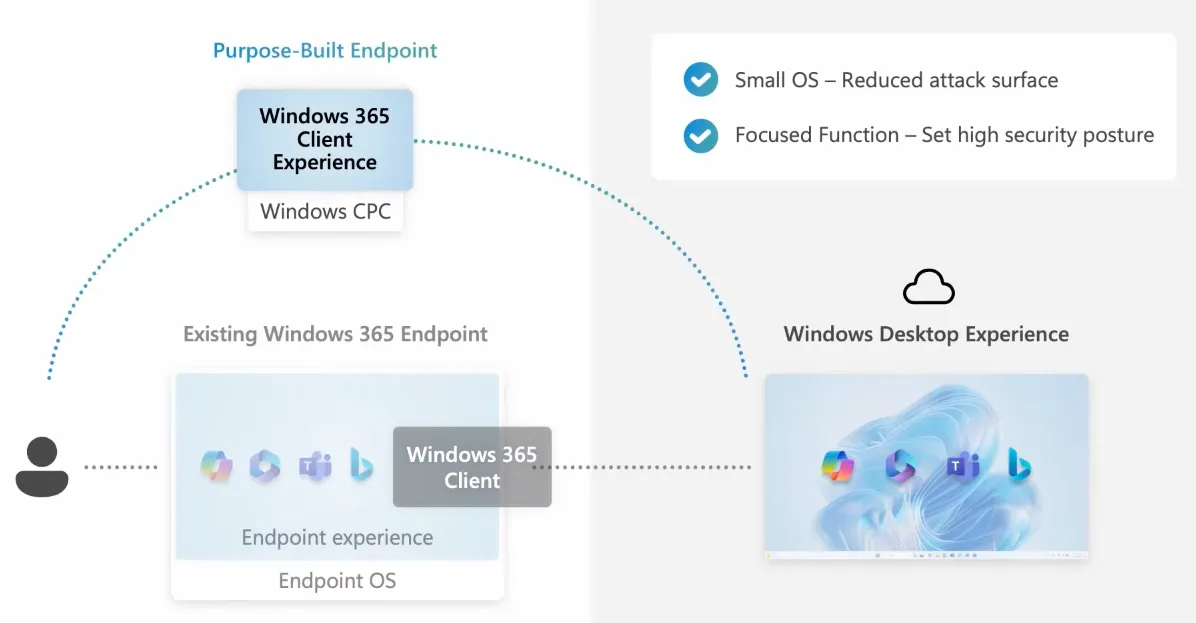
Devices run Windows Cloud PC OS (WCPC) with essential features and built-in security, following the normal Autopilot Device Preparation setup process. Security settings, including TPM 2.0, Secure Boot, BitLocker, and App Control policies, are enabled by default and cannot be disabled.
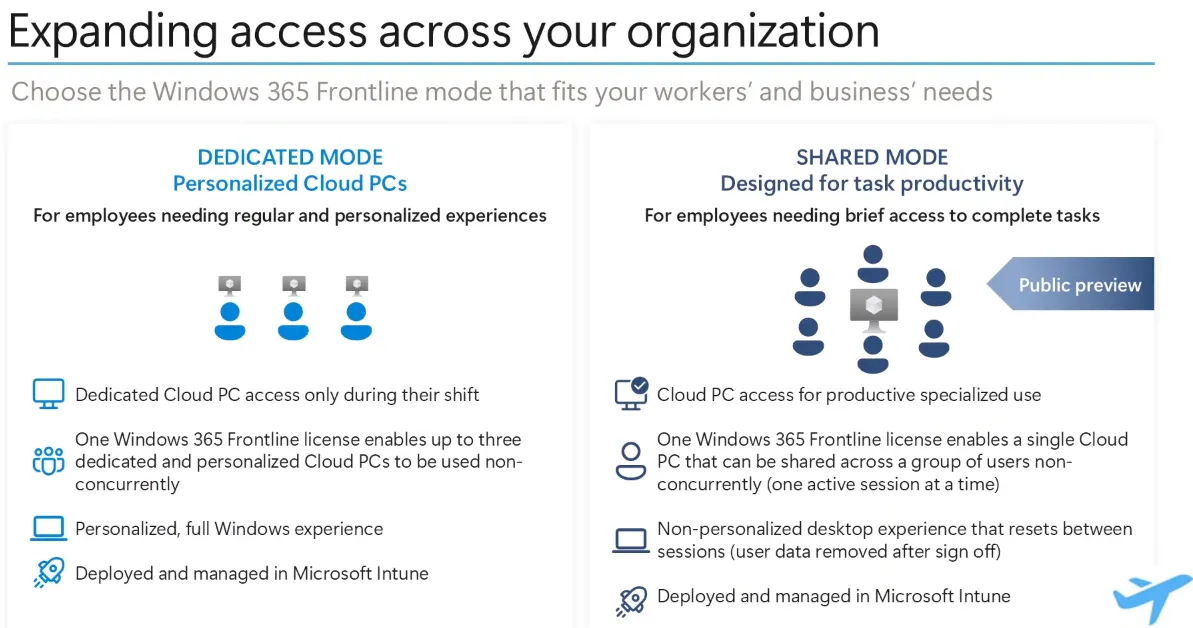
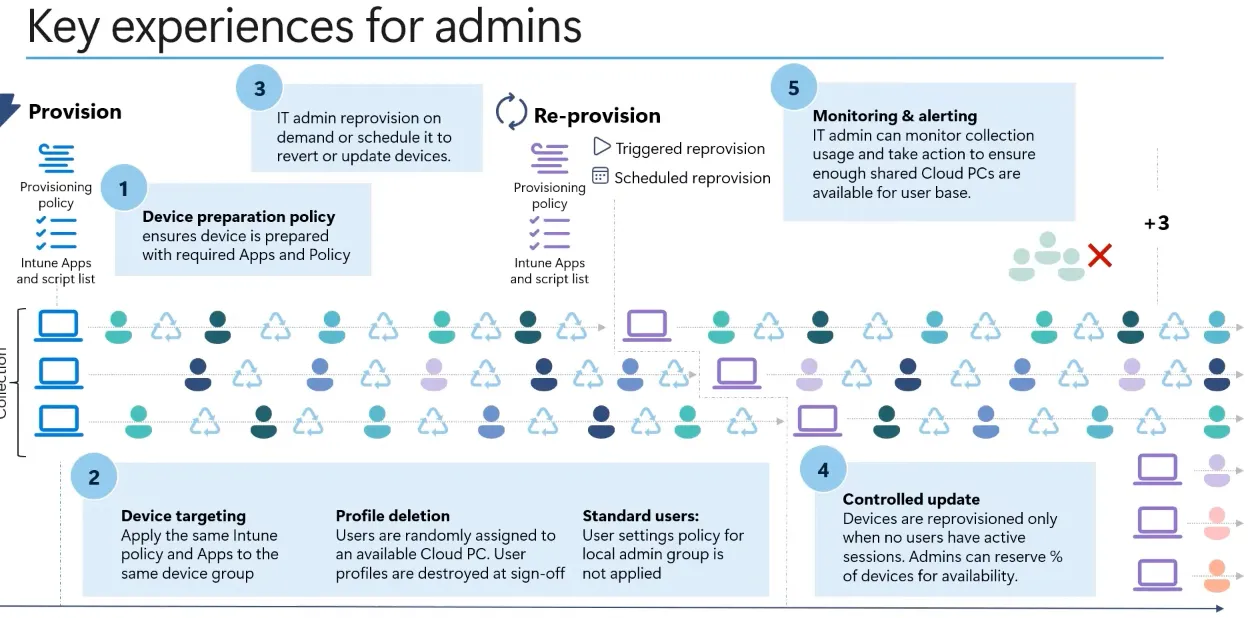
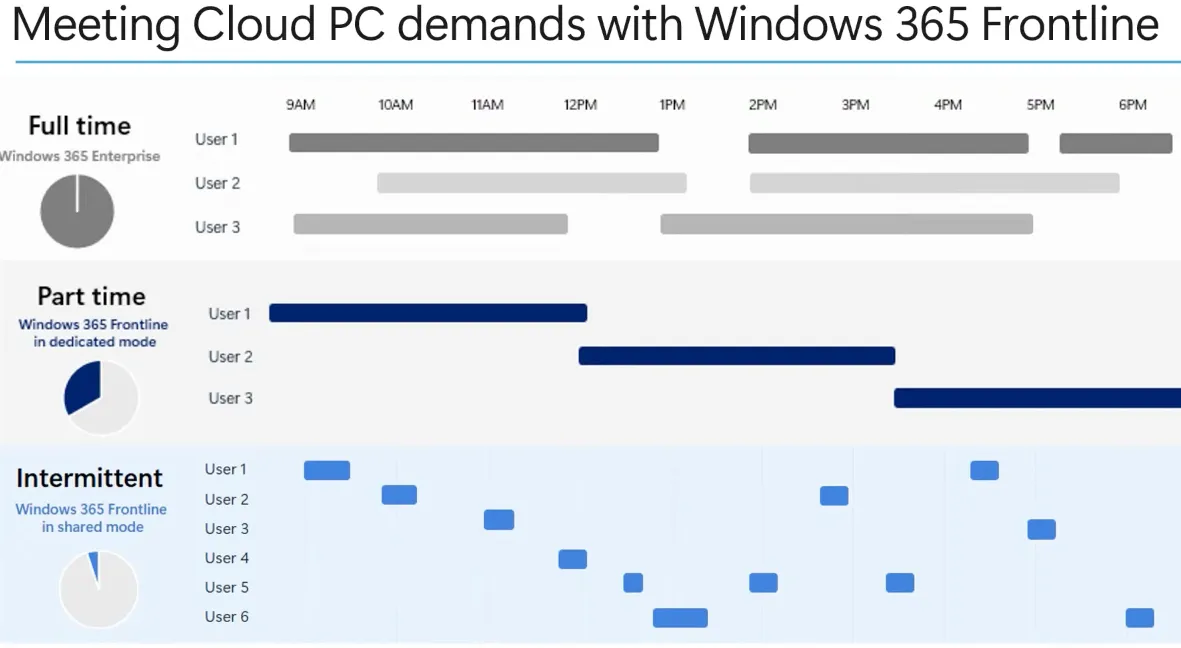
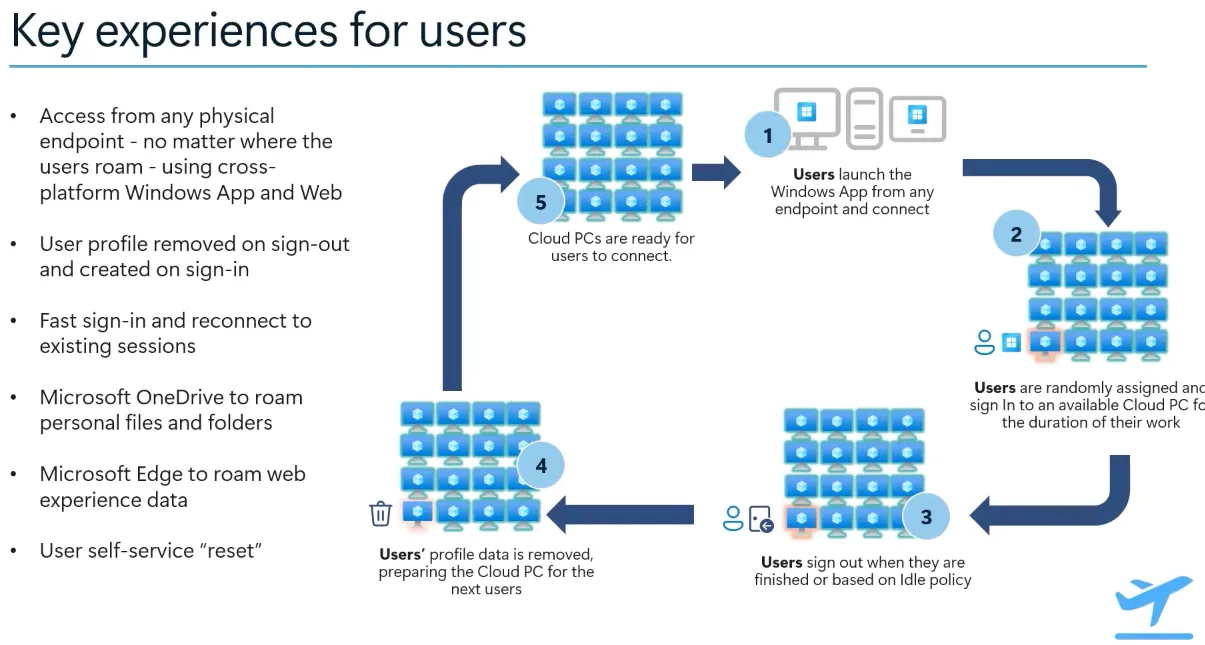
Windows 365 Frontline Shared
Allows multiple users to share one Cloud PC instance for intermittent access, with only one concurrent session per license. It provides a non-personalized experience, where user data is removed after sign-off, and supports scheduled reprovisioning.
Windows Cloud Resiliency
Learn all about Windows Cloud architecture and resiliency:
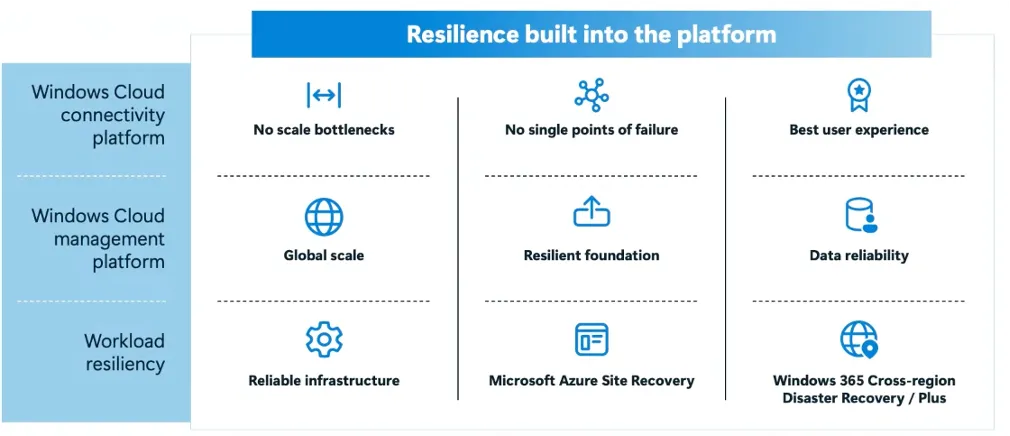
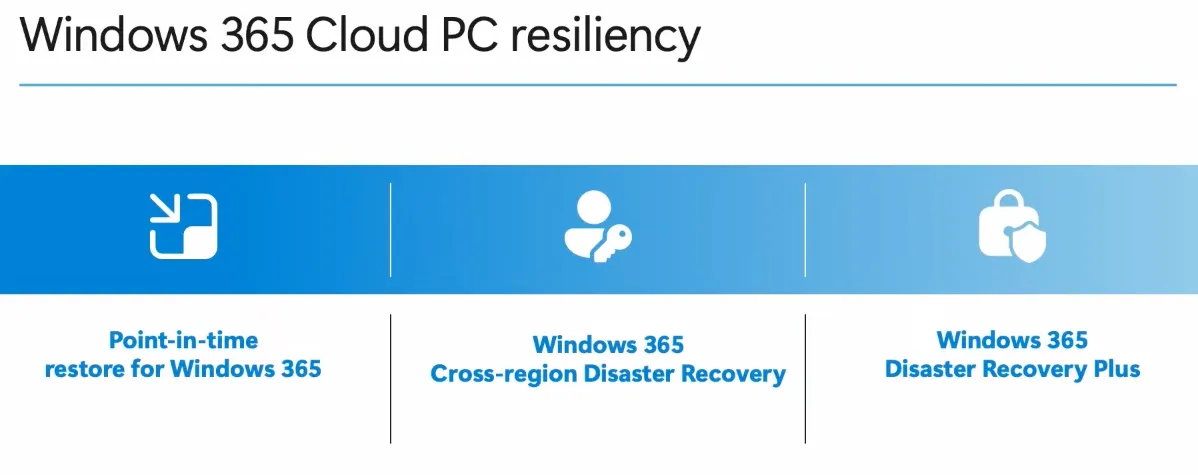
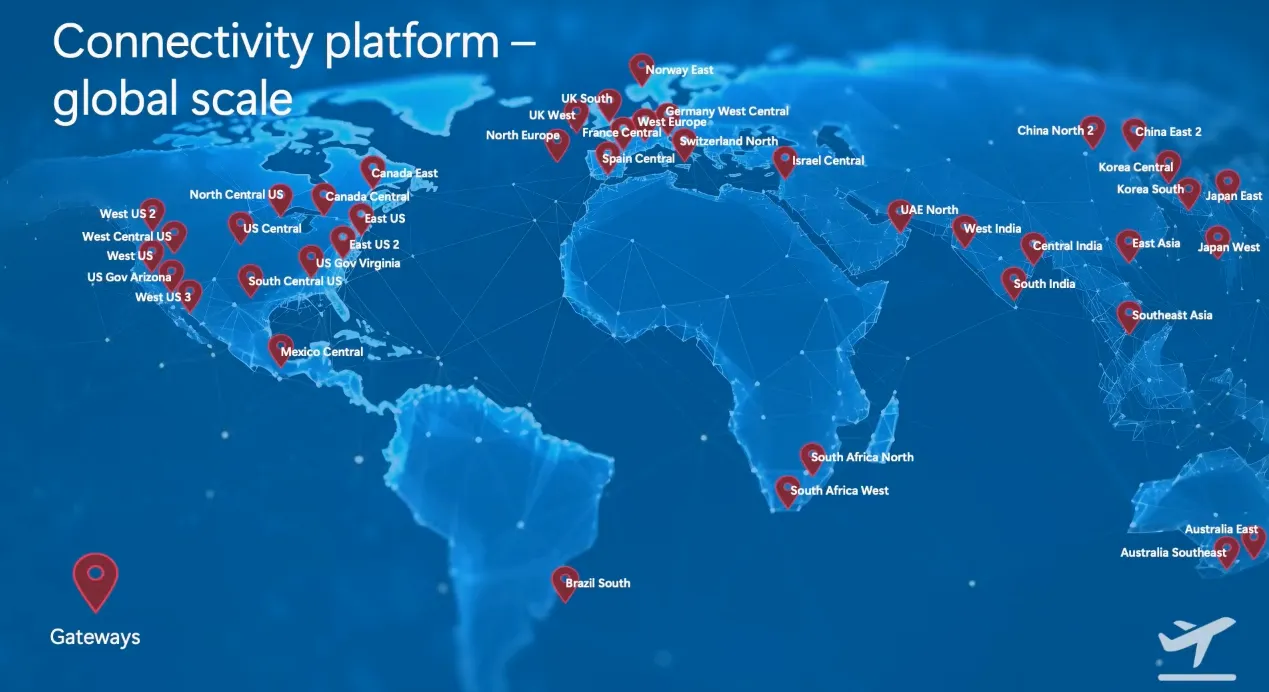
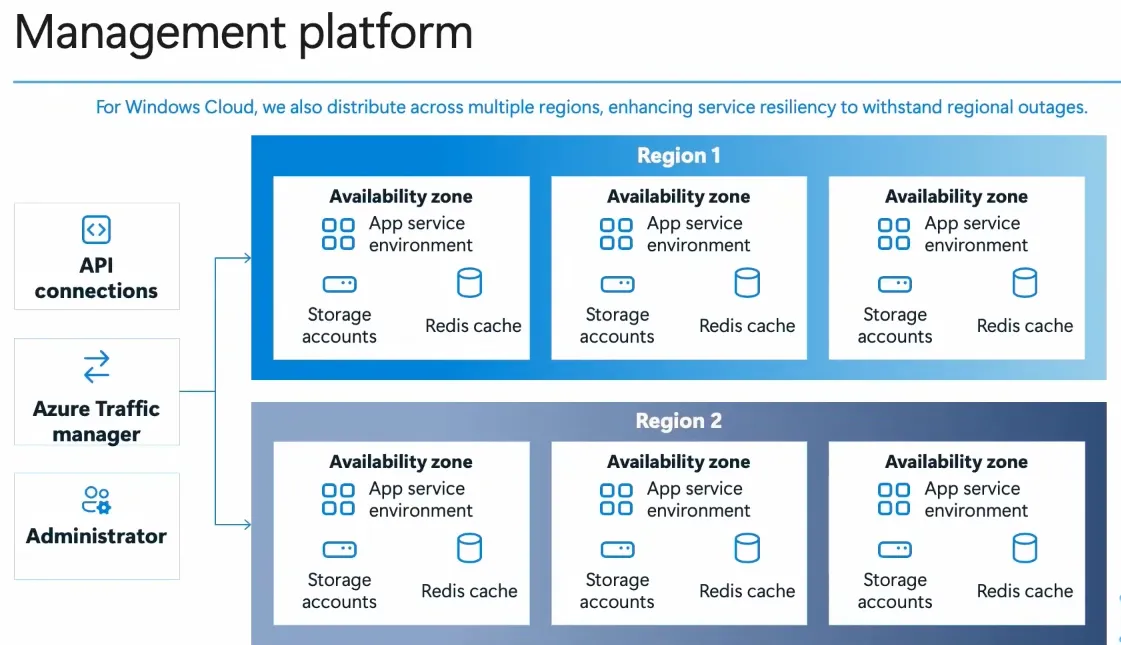
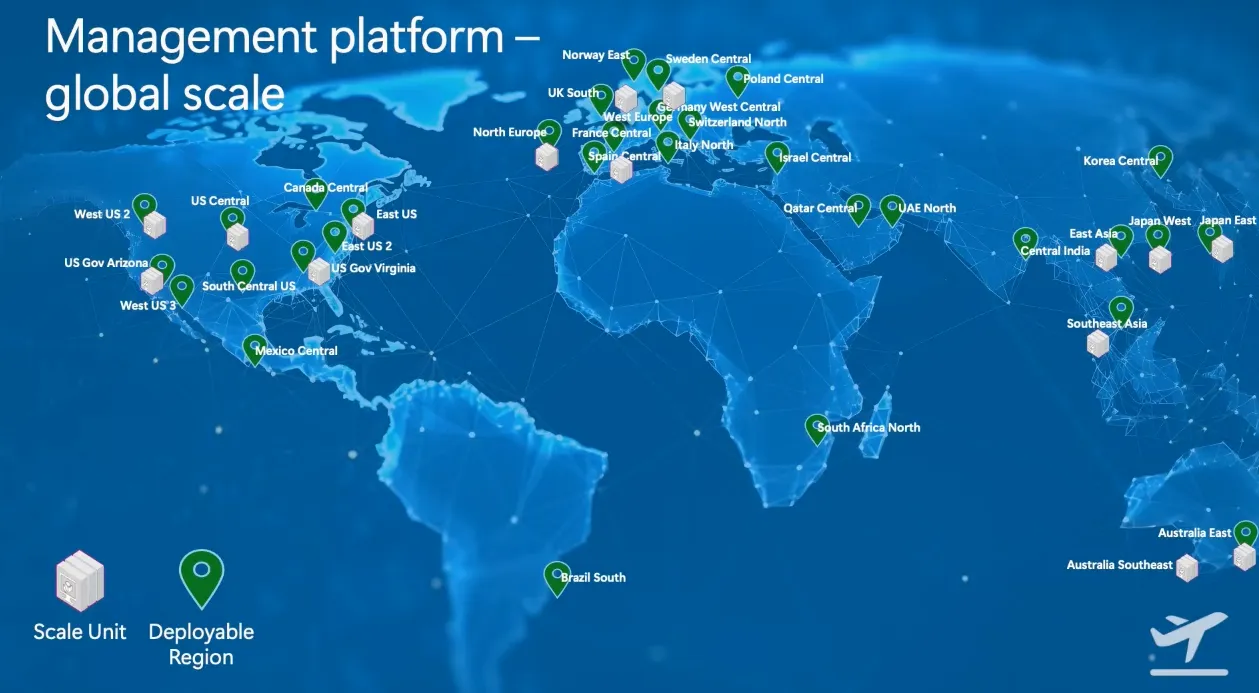
- Windows 365 ensures high availability and resiliency through global-scale connectivity and cross-region disaster recovery.
- The Windows Cloud management platform distributes workloads across multiple regions with redundant app service environments, storage accounts, and Scale Units (infrastructure where code runs that provides the service).
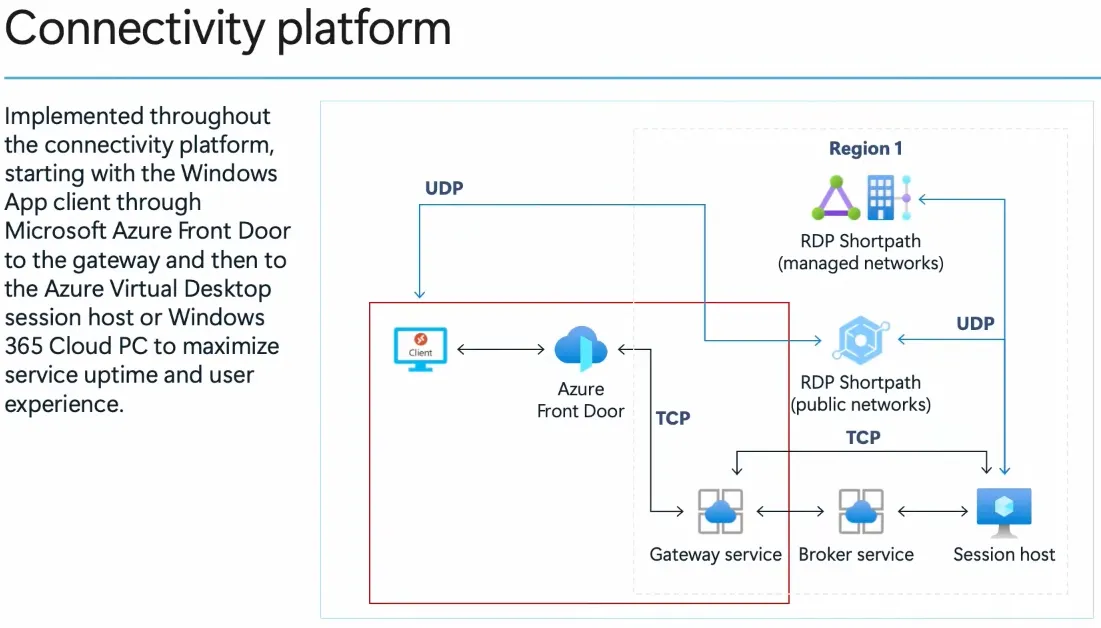
- A secure and optimized connectivity platform uses Azure Front Door, RDP Shortpath, and gateway services to maximize uptime, reduce latency, and enhance user experience.
Copilot in Intune
Microsoft Intune integrates Copilot to enhance device management, troubleshooting, and security by leveraging AI-powered insights and automation. It assists IT admins to make their life easier 😁.
Features
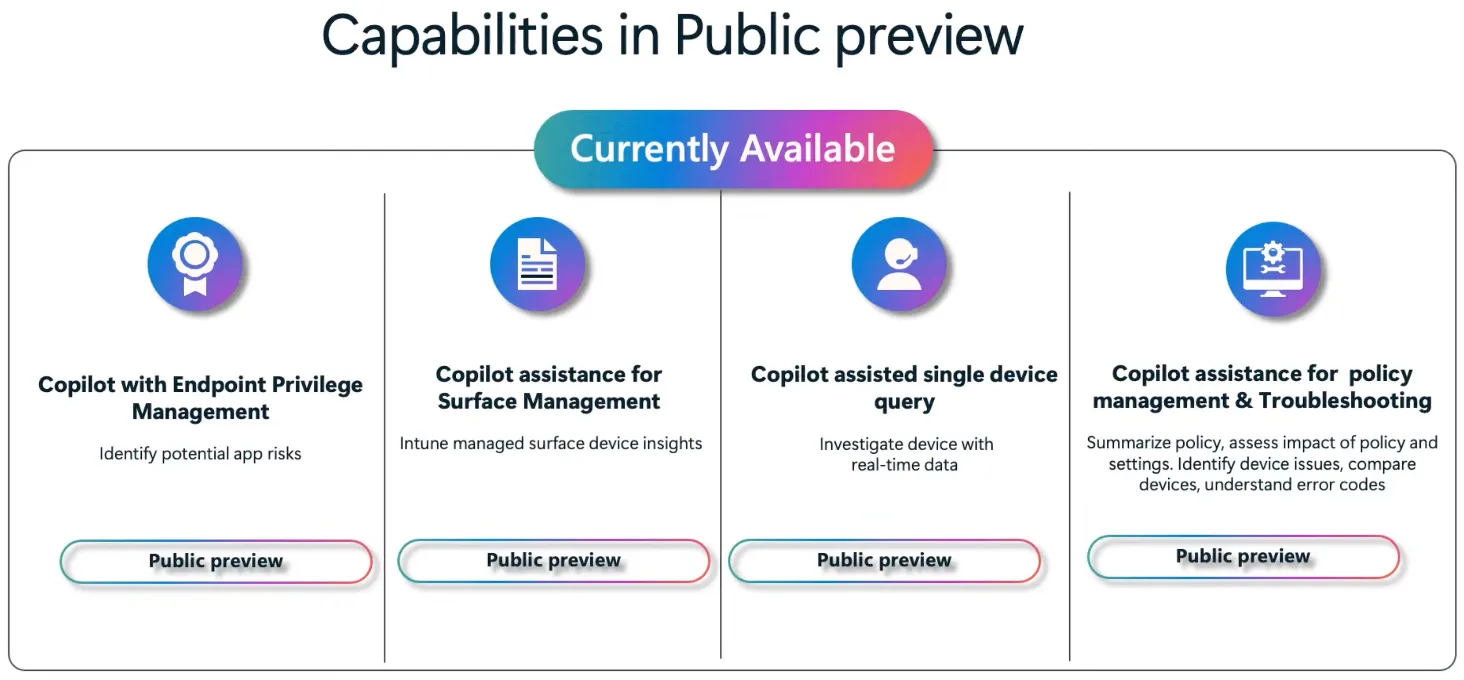
- Endpoint Privilege Management: Identifies potential app risks from user requested privileged apps.
- Surface Management Assistance: Provides insights into Intune-managed Surface devices for better monitoring, hardware lifecycle and optimization.
- Single Device Query: Translates real-time investigation of devices searches into KQL, assisting in troubleshooting and diagnostics.
- Policy Management & Troubleshooting: Summarizes policies, assesses configuration impact and helps interpret errors.
Enhance and supercharge IT management with Copilot in Intune
Intune architecture insights (latency)
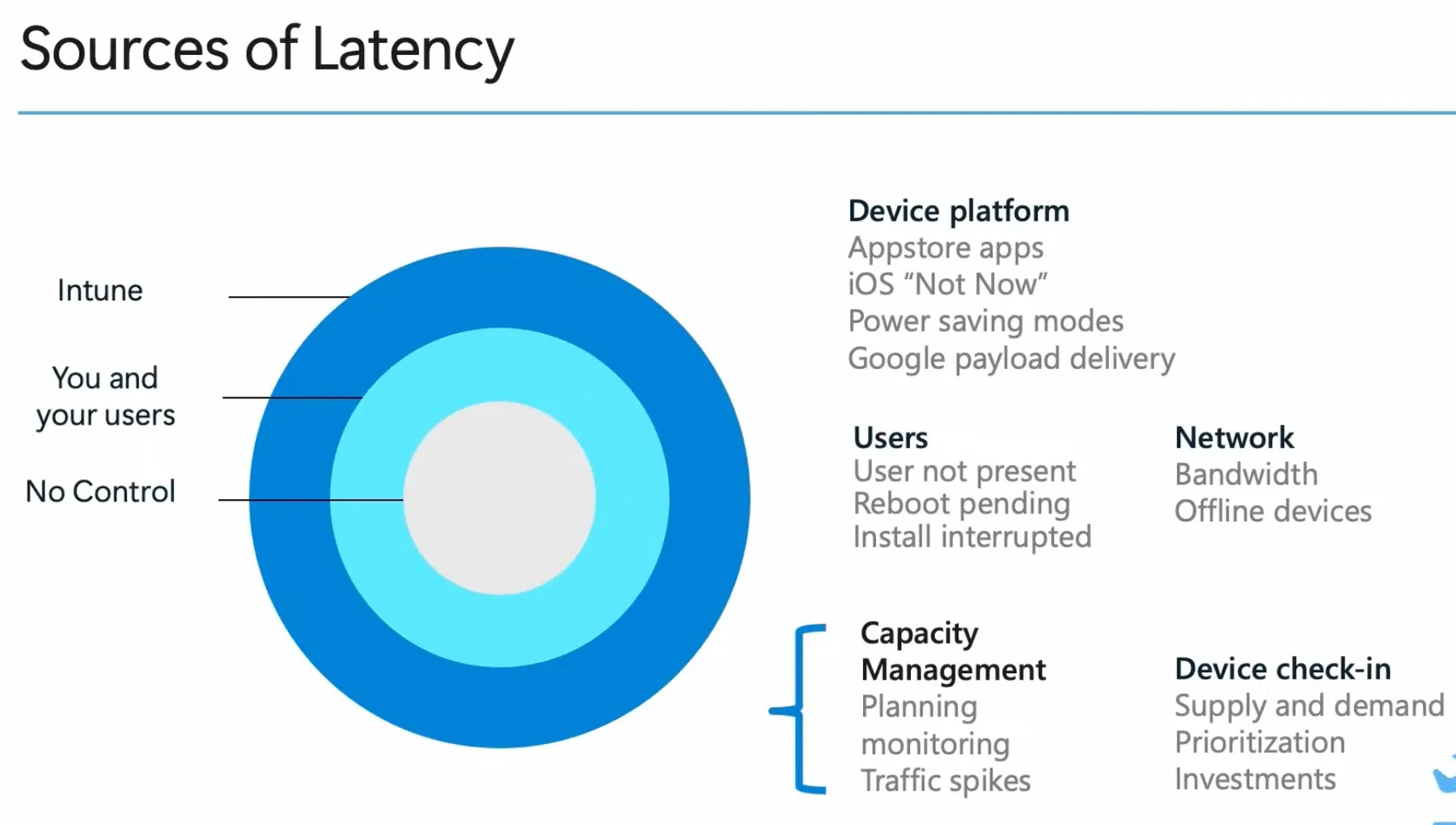
This was probably my favorite session, as it covers Intune behind the scenes, comparable to my recent blog post. I recommend you to watch the recording of the session, as there is enough content for a whole blog post. Here are my takeaways:
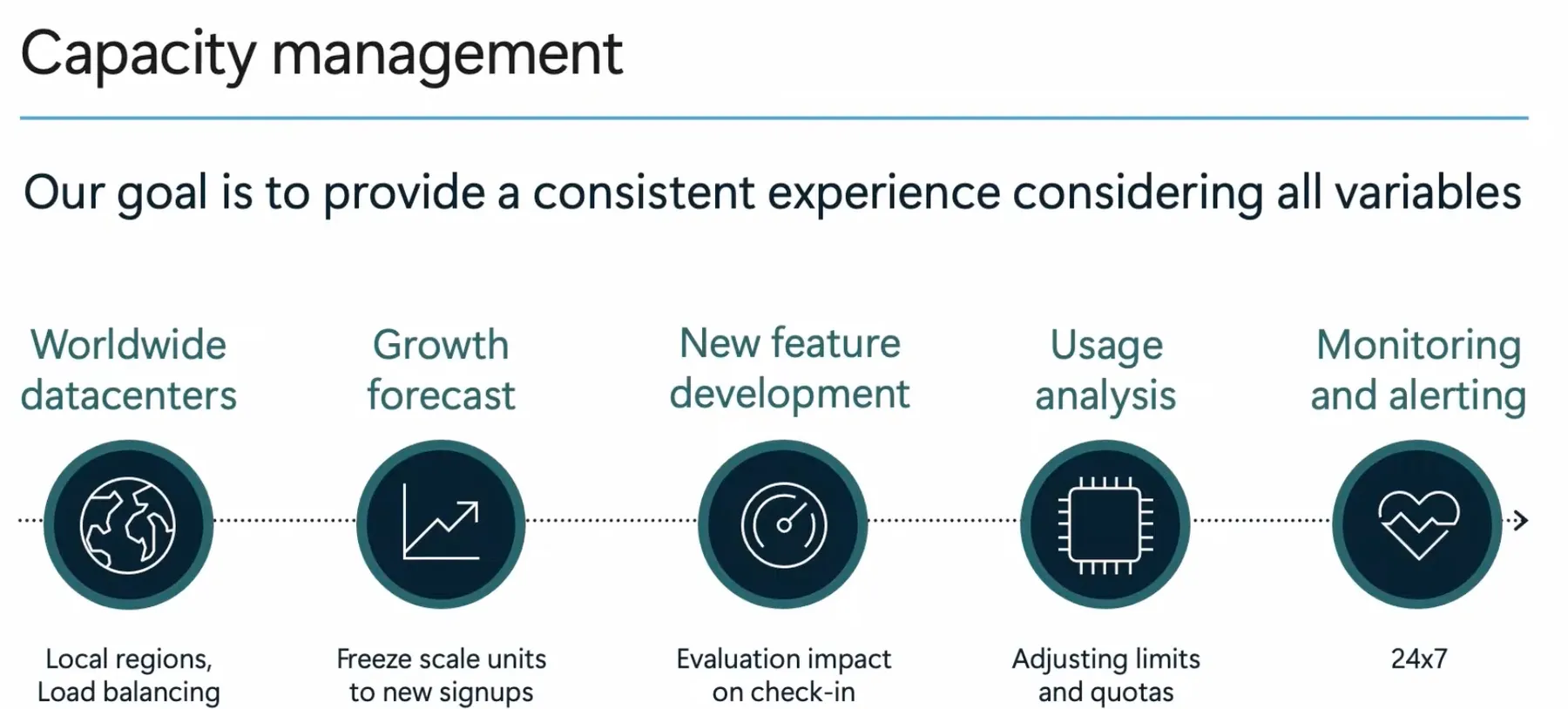
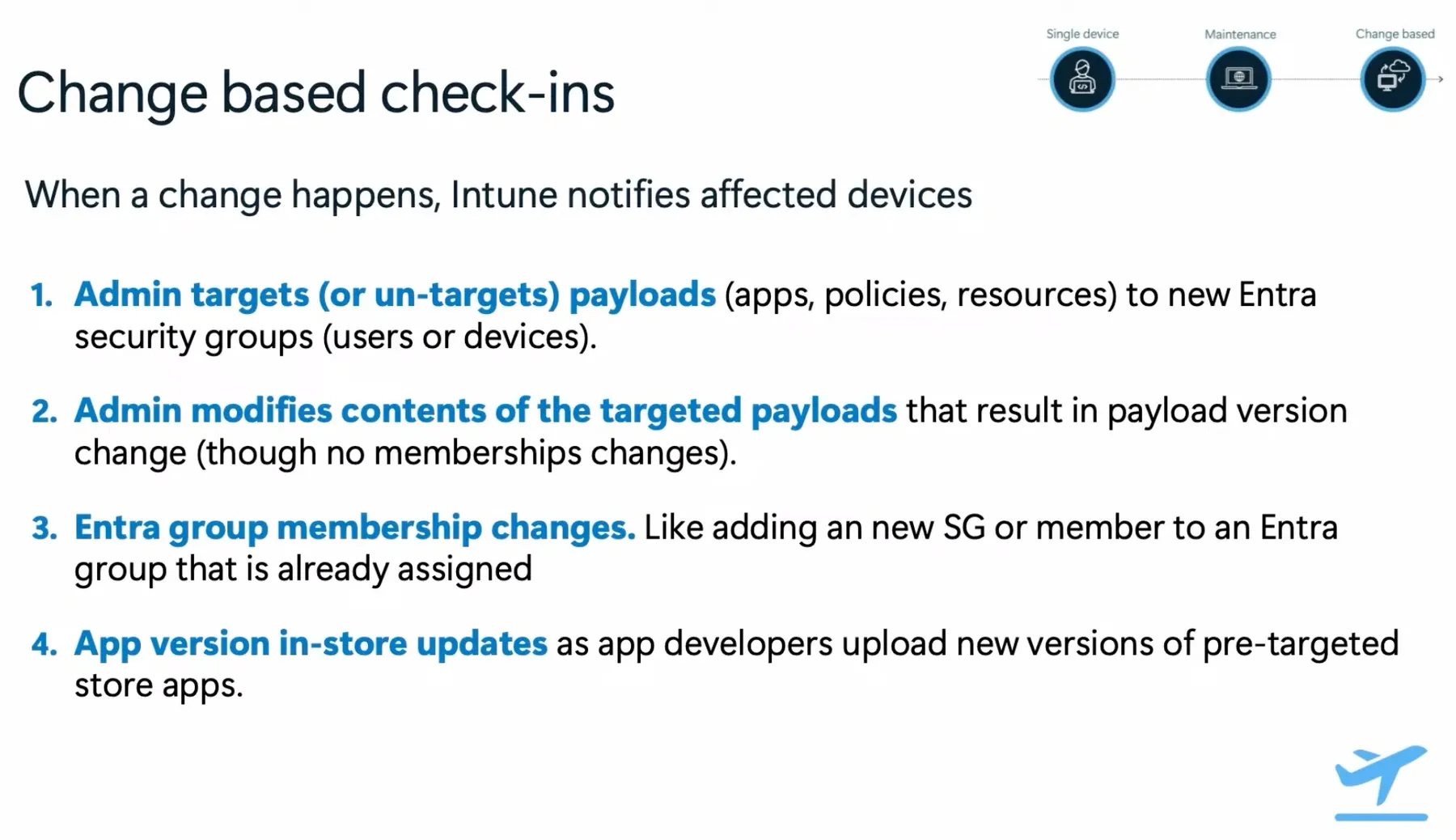
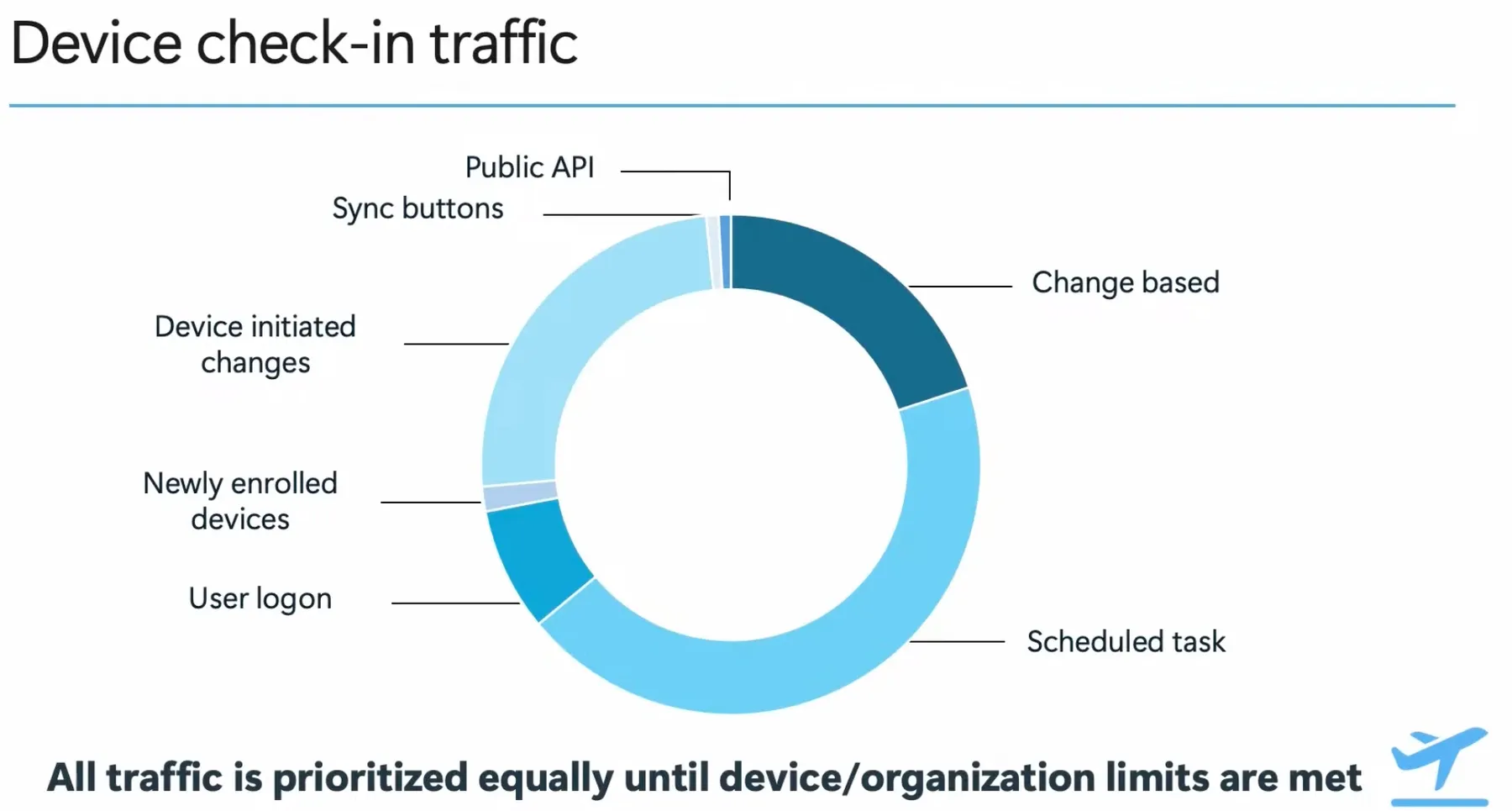
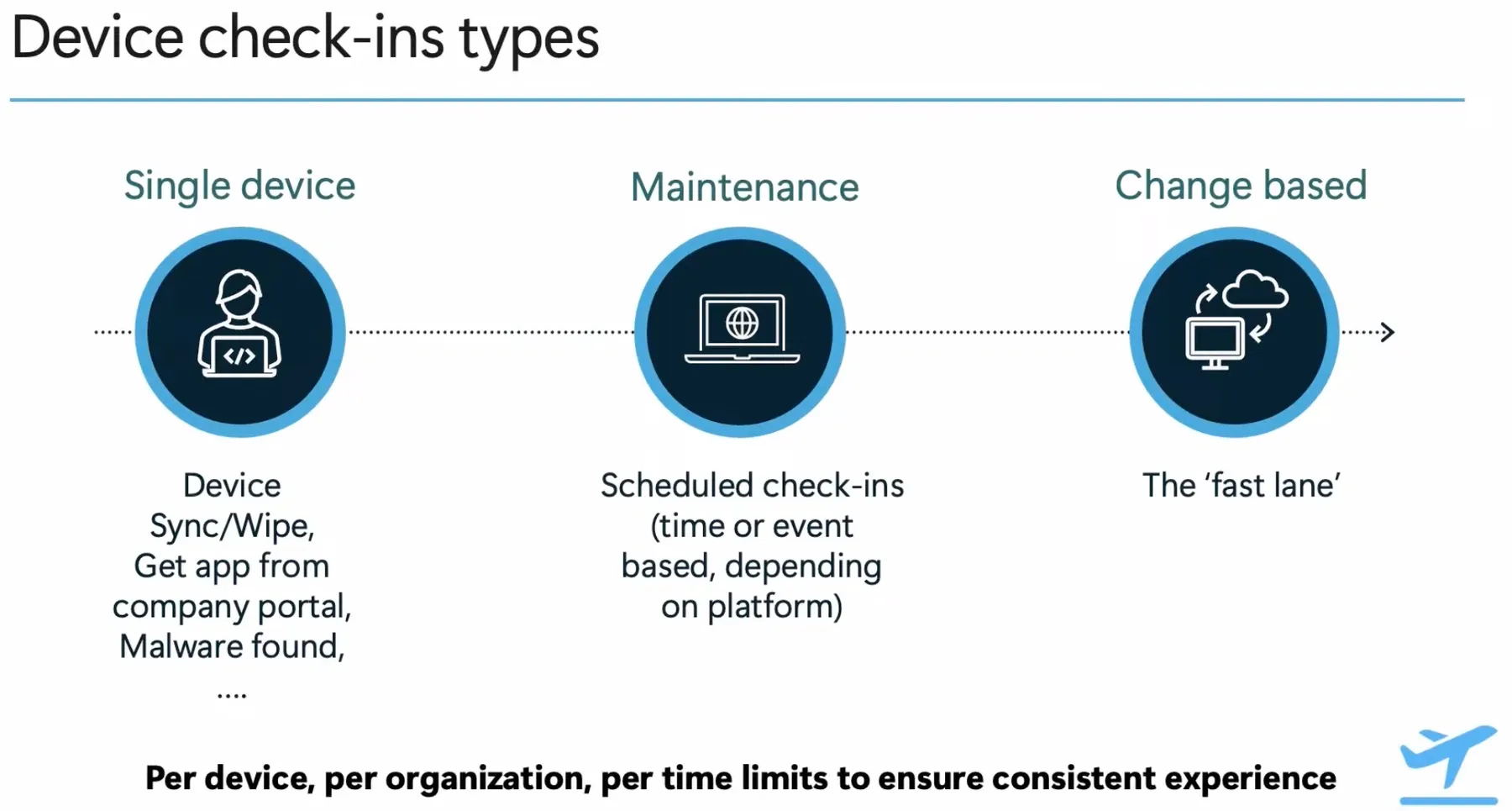
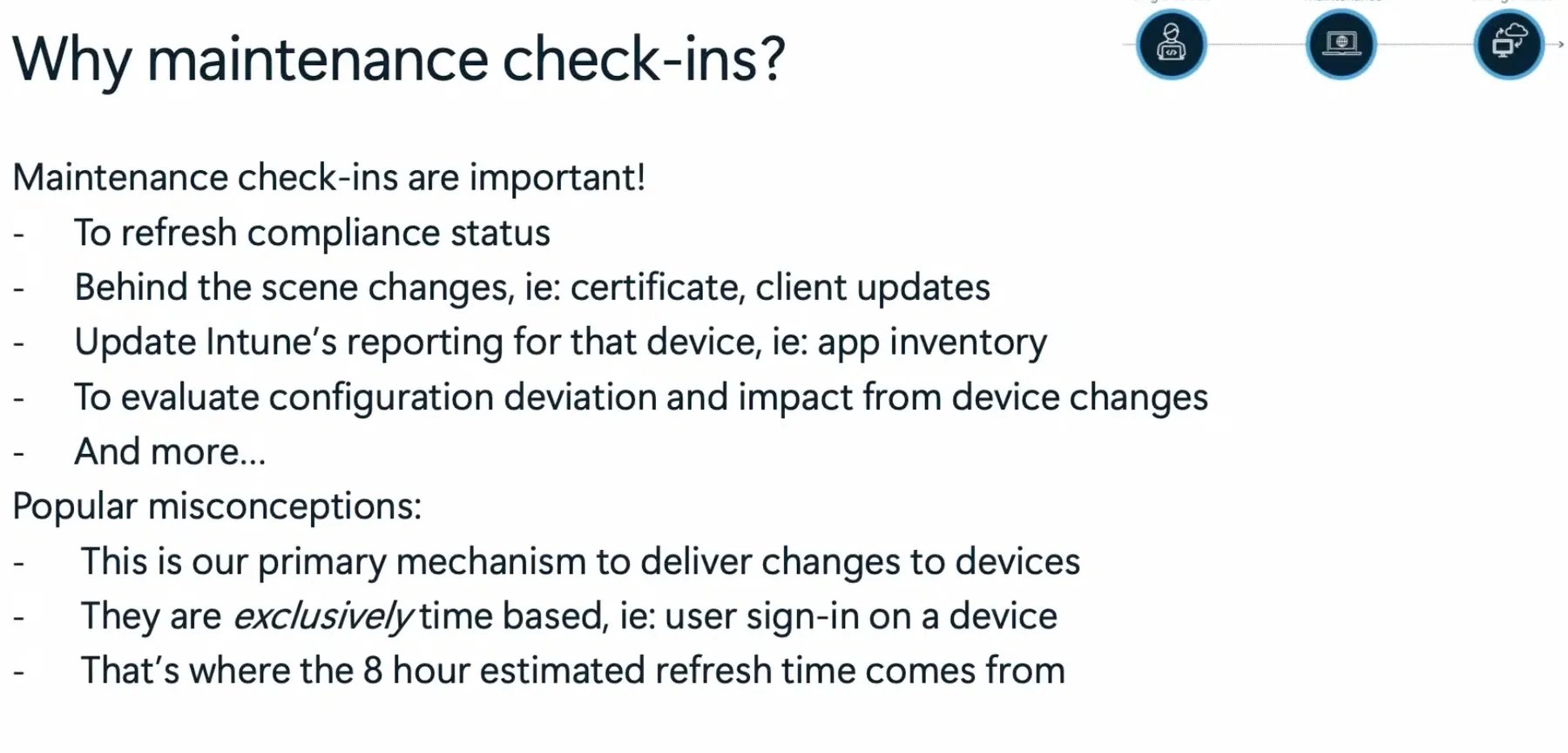
- Intune optimizes device check-ins through single-device, maintenance, and change-based mechanisms, ensuring efficient updates.
- Latency in device check-ins is influenced by platform limitations, user behavior, network conditions, and capacity management.
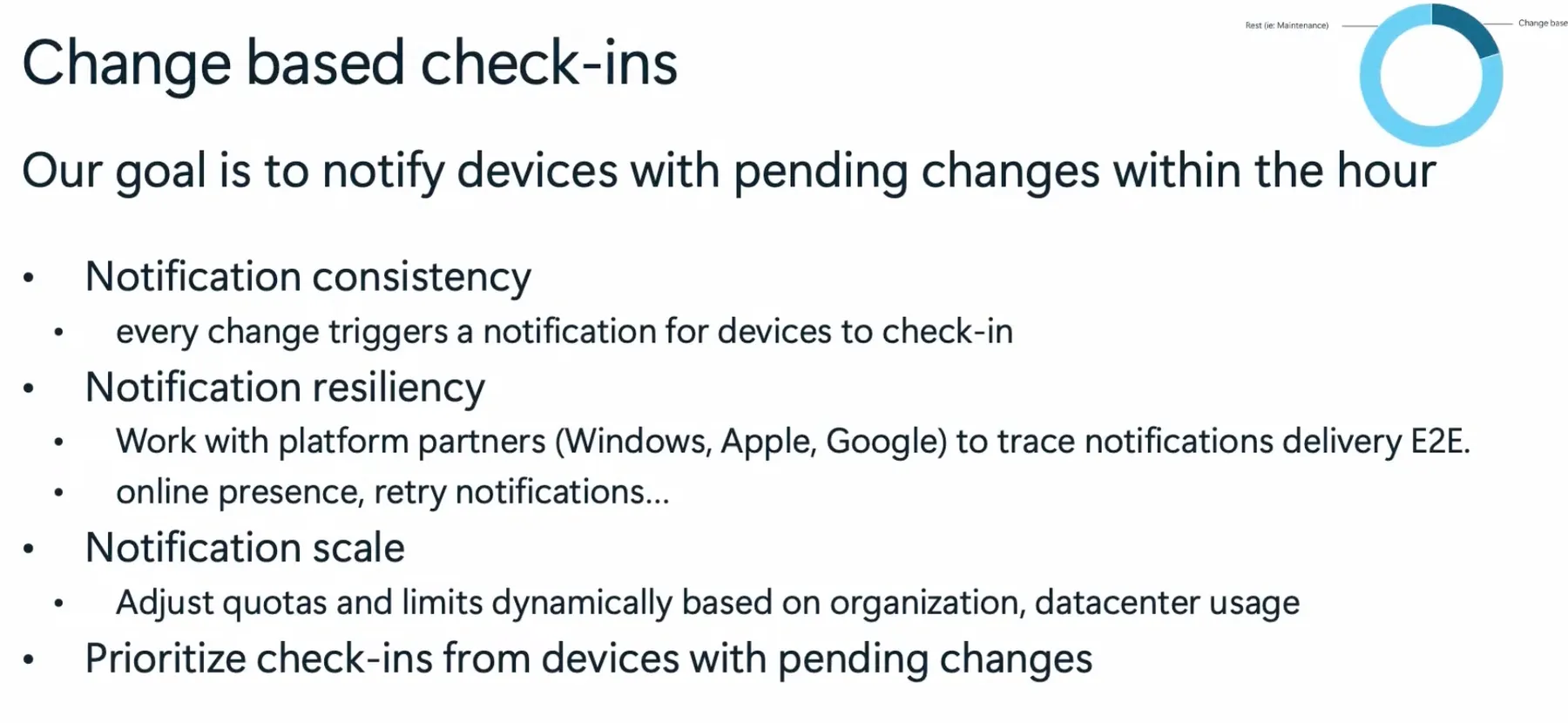
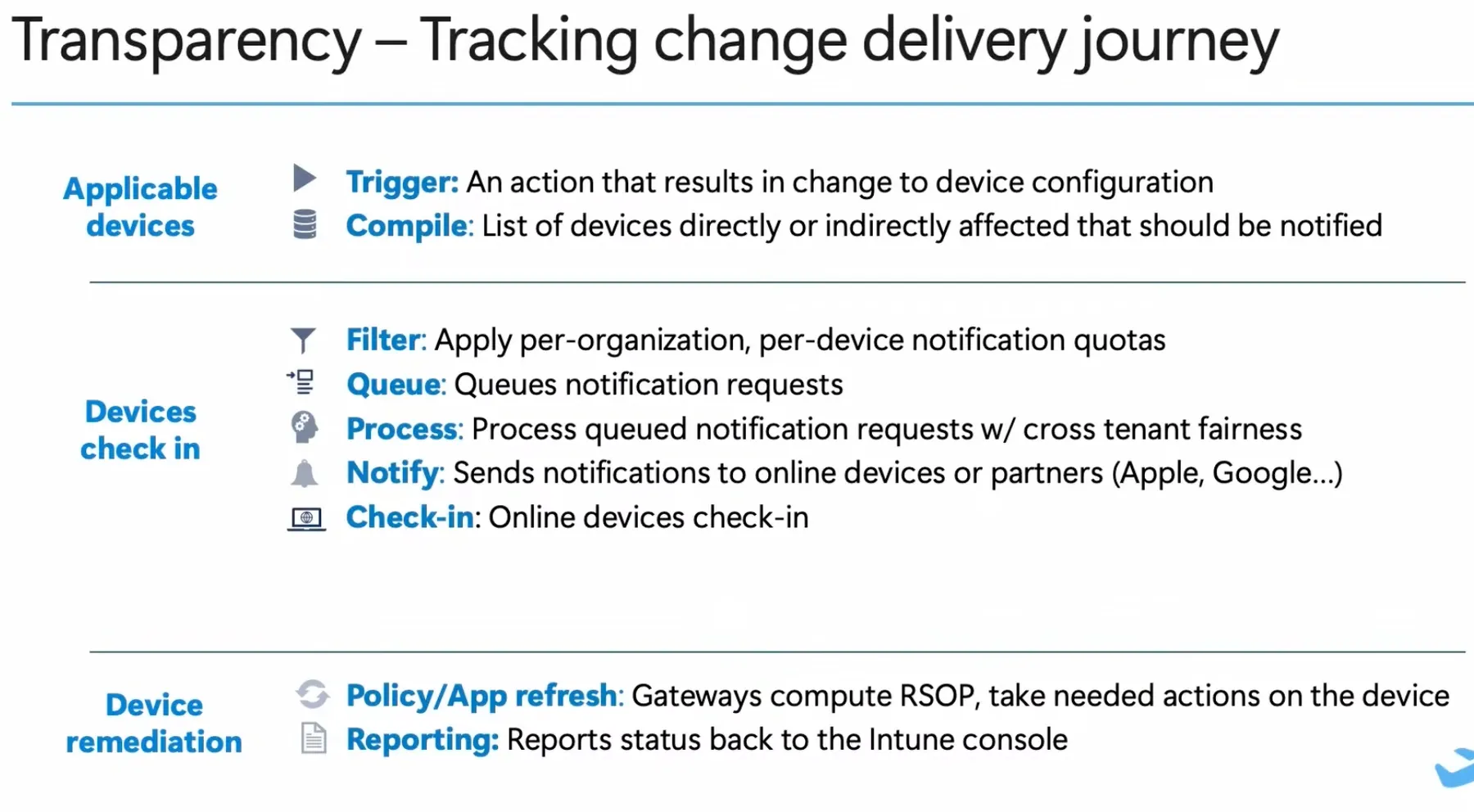
- Change-based check-ins ensure rapid policy update by triggering notifications, dynamically scaling based on demand, and integrating with platform partners like Windows, Apple, and Google for delivery.

Windows Hotpatch
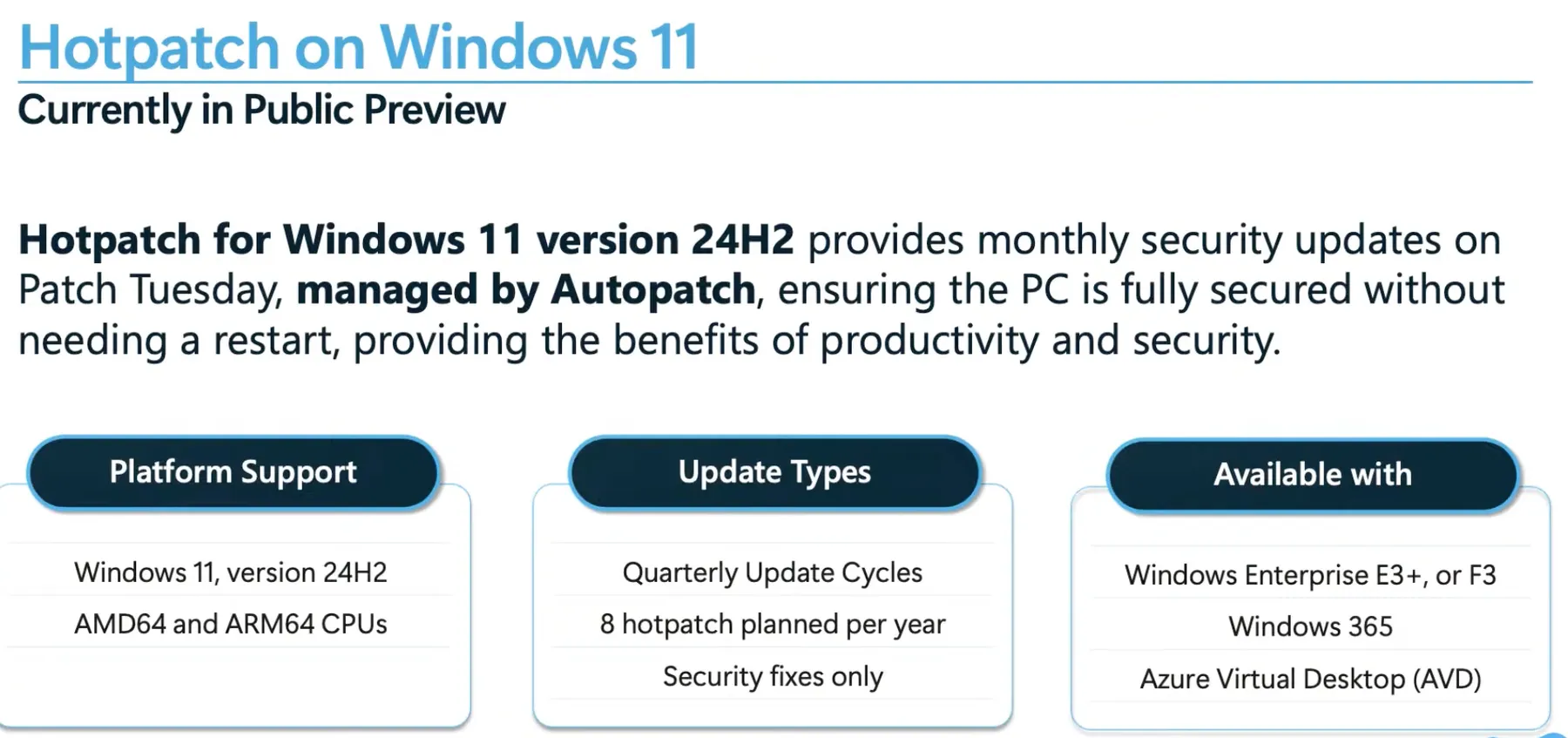
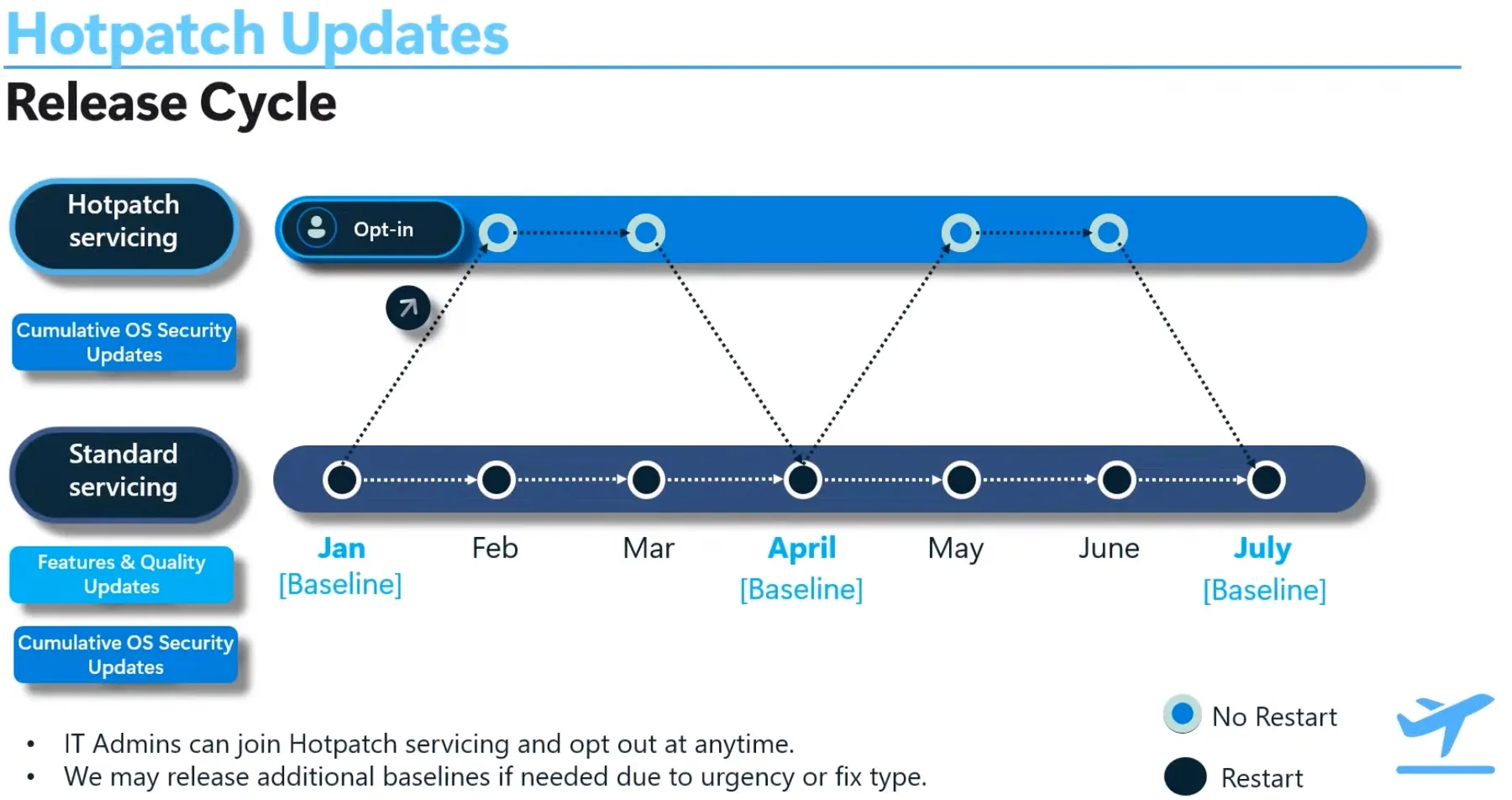
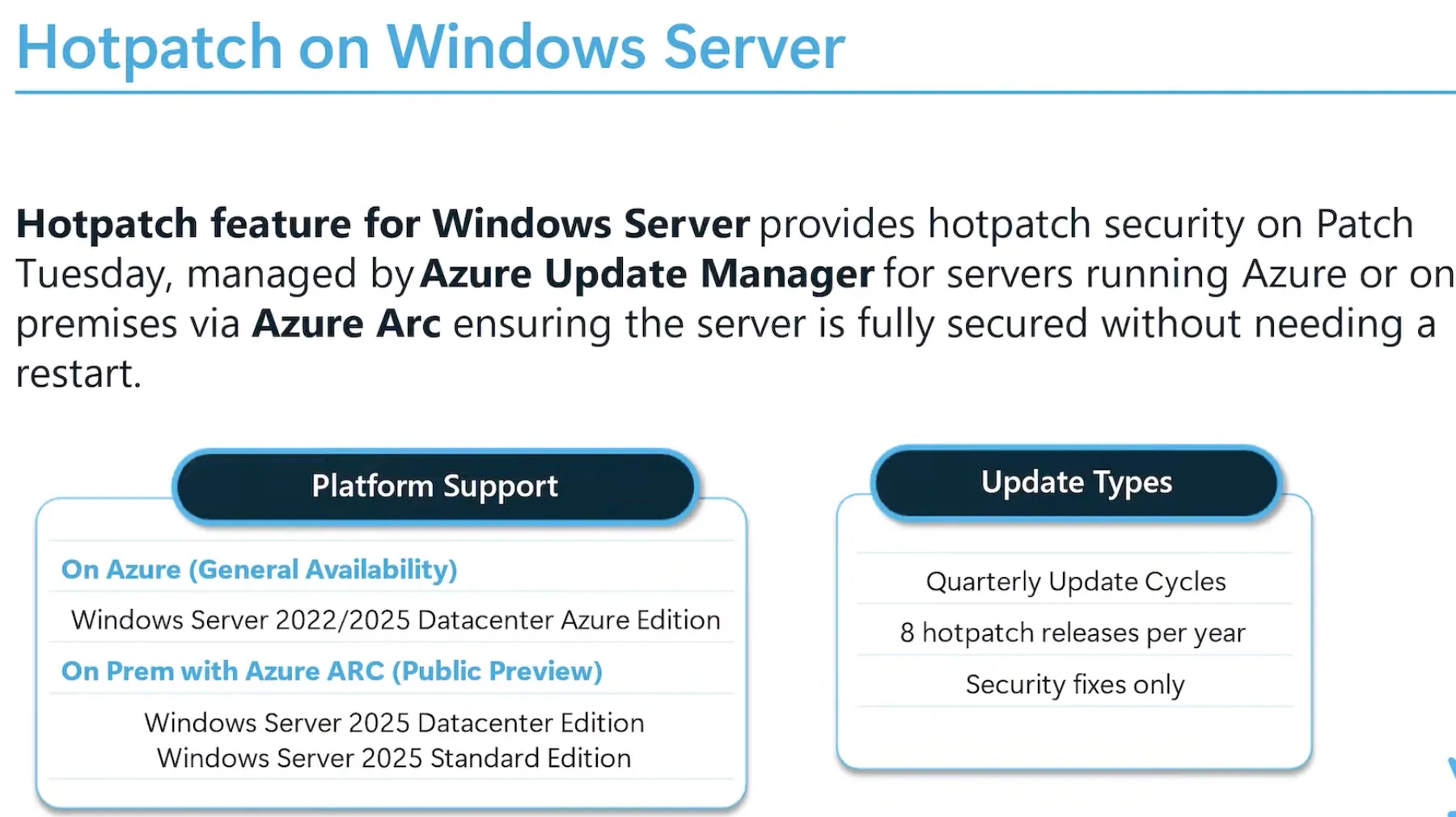
Windows updates can be installed in-memory without requiring a restart, improving system uptime and business continuity. Intune update policies will support configuring this feature with Windows Autopatch.
Windows Kiosk
Windows Restricted User Experience (former Windows Kiosk multi-app) supports single-app and multi-app kiosk modes for scenarios like digital signage, frontline work, and student environments. Assigned Access XML allows further customization, including app restrictions, Start Menu modifications, session settings, and peripheral/network controls. These configurations can be tested and validated using PowerShell.
Intune Data Platform (Device Query)
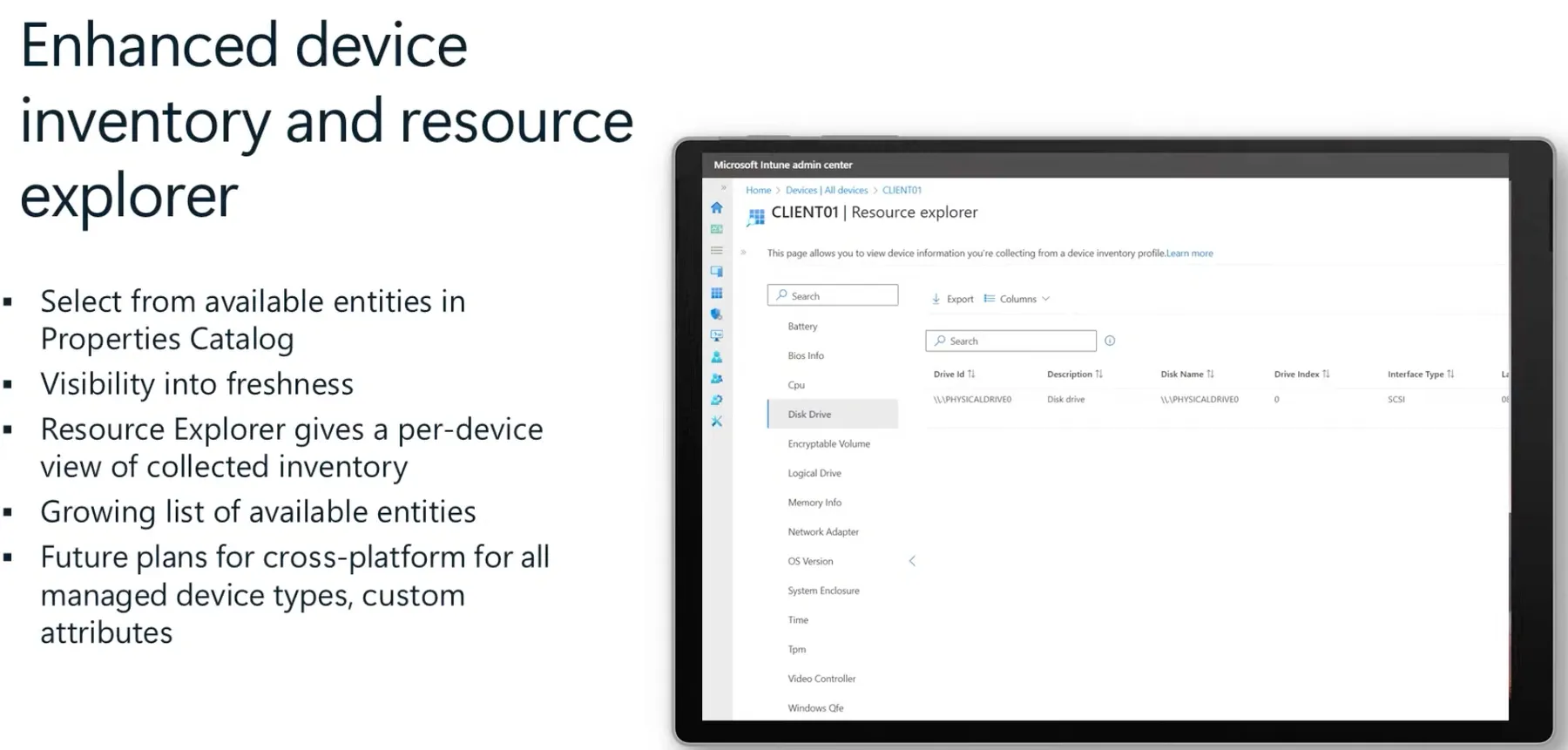
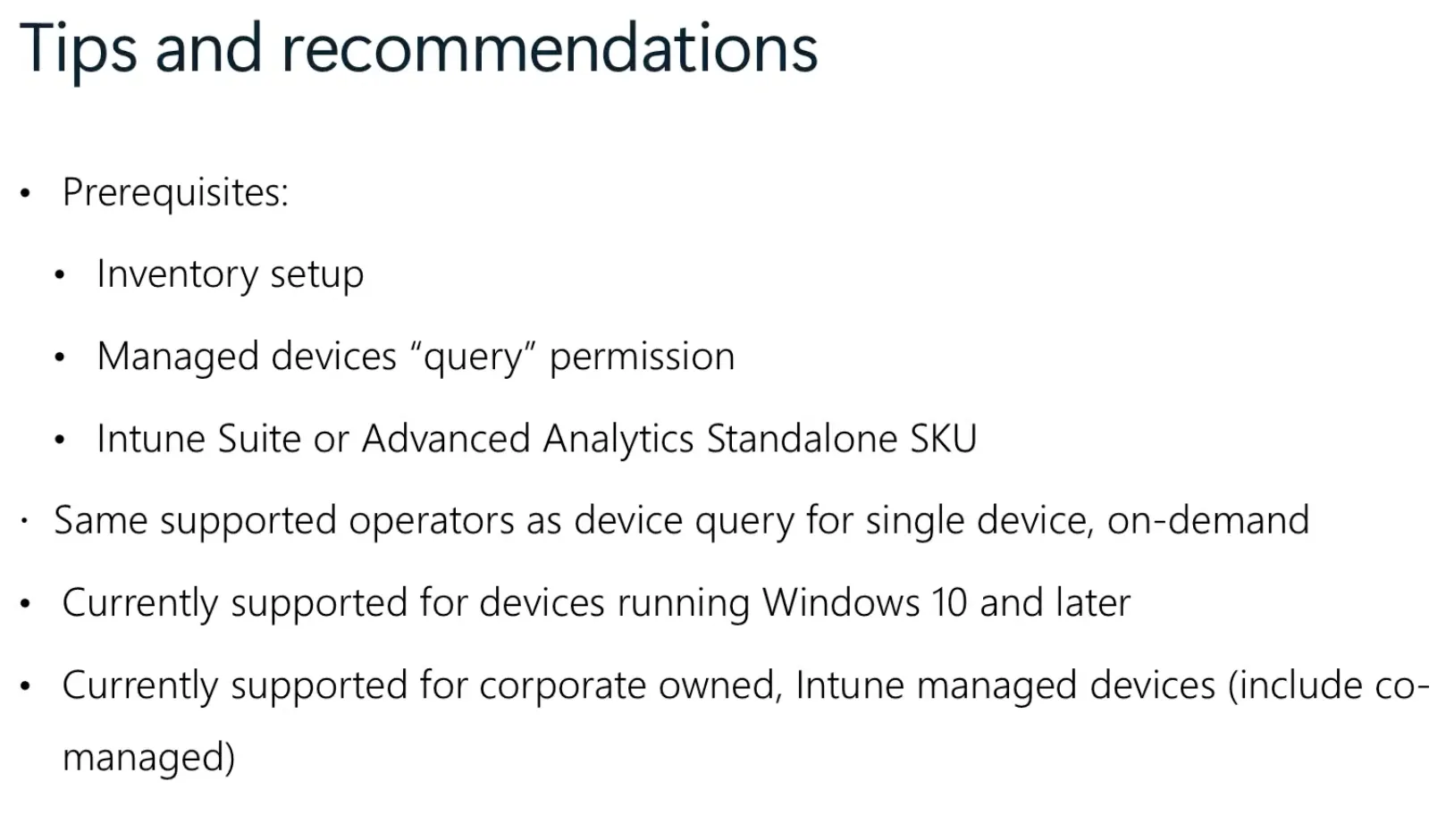
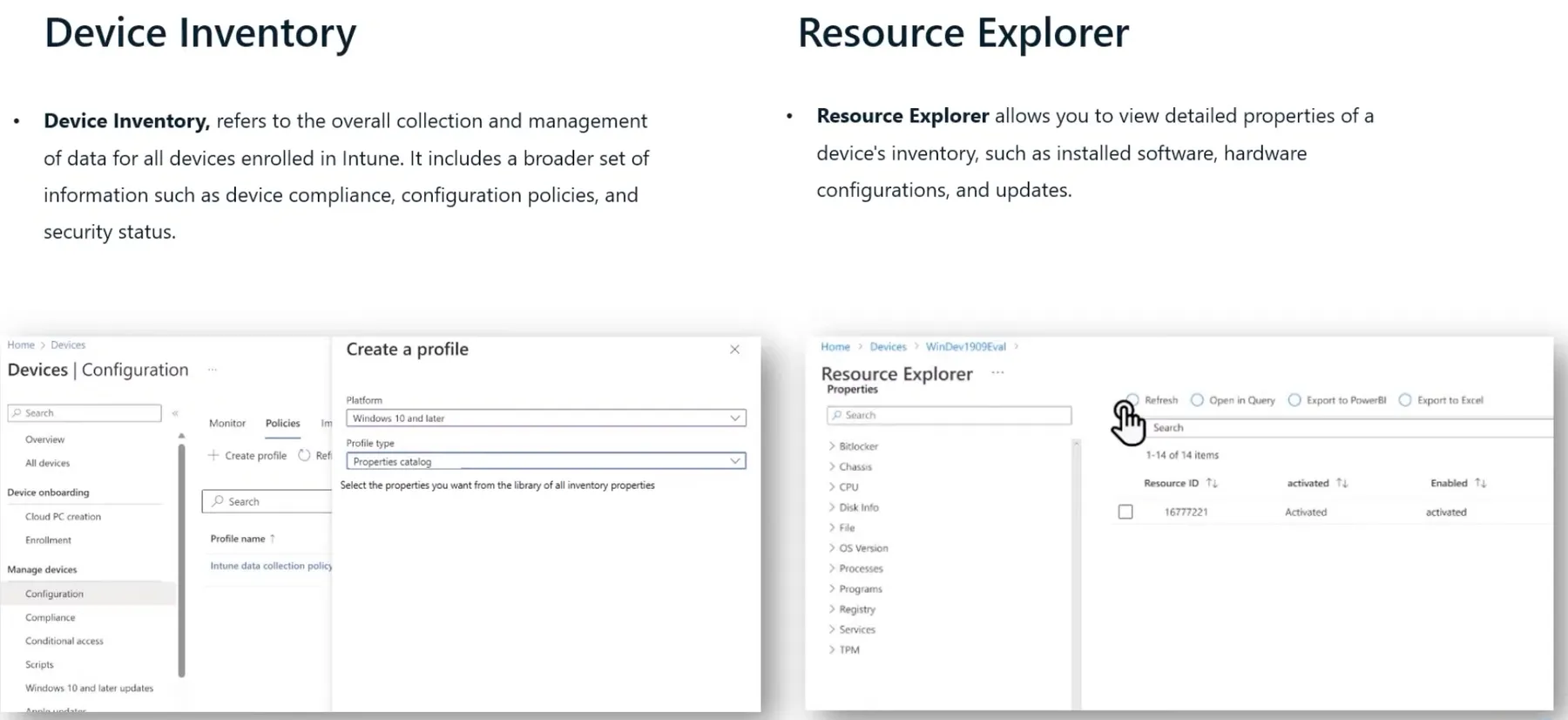
The Intune Data Platform (Device Query) helps admins manage and analyze device data in Intune. It provides real-time device inventory and resource insights, showing compliance, security settings, and general information.
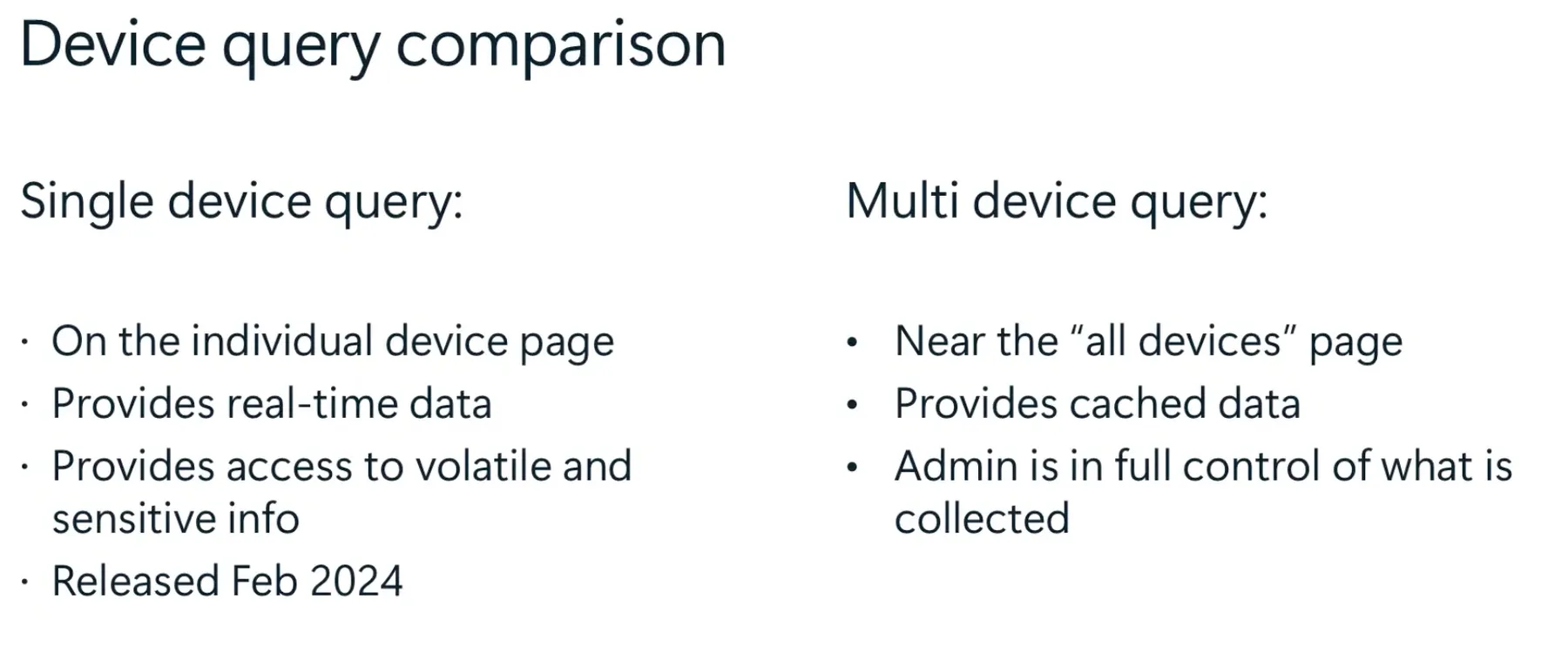
- Single Device Query – real-time data for one device
- Multi-Device Query – cached data for multiple devices
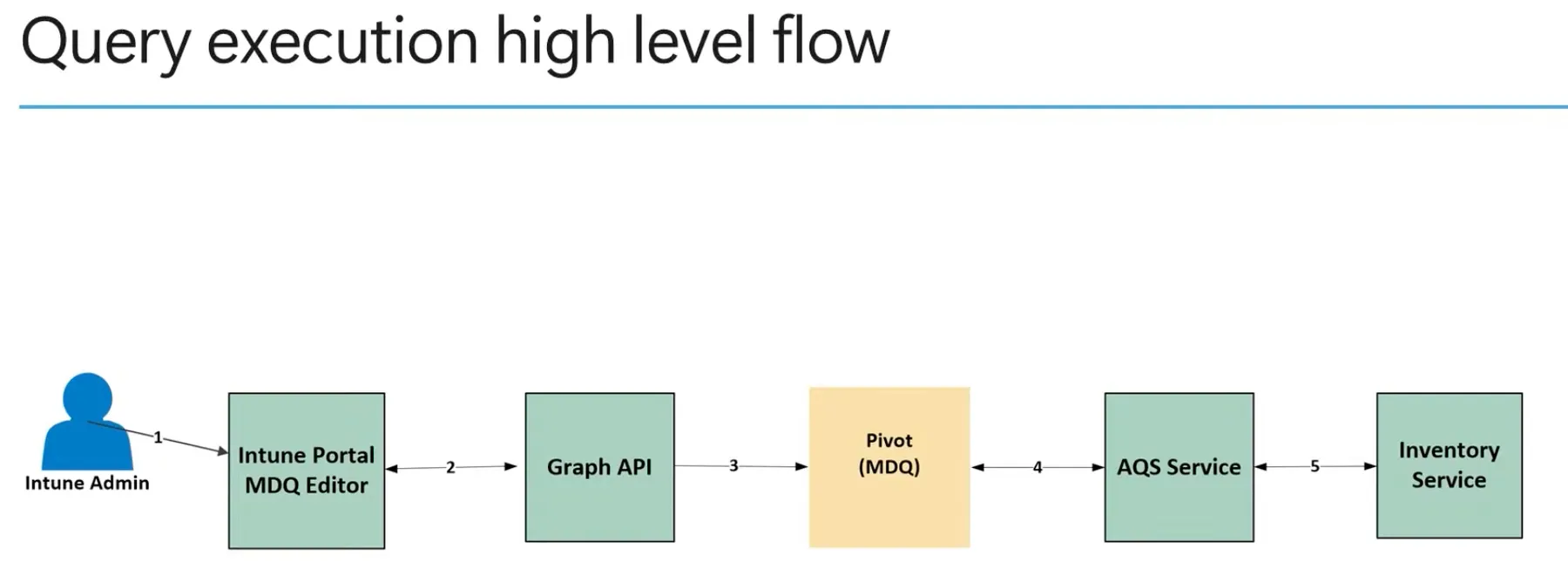
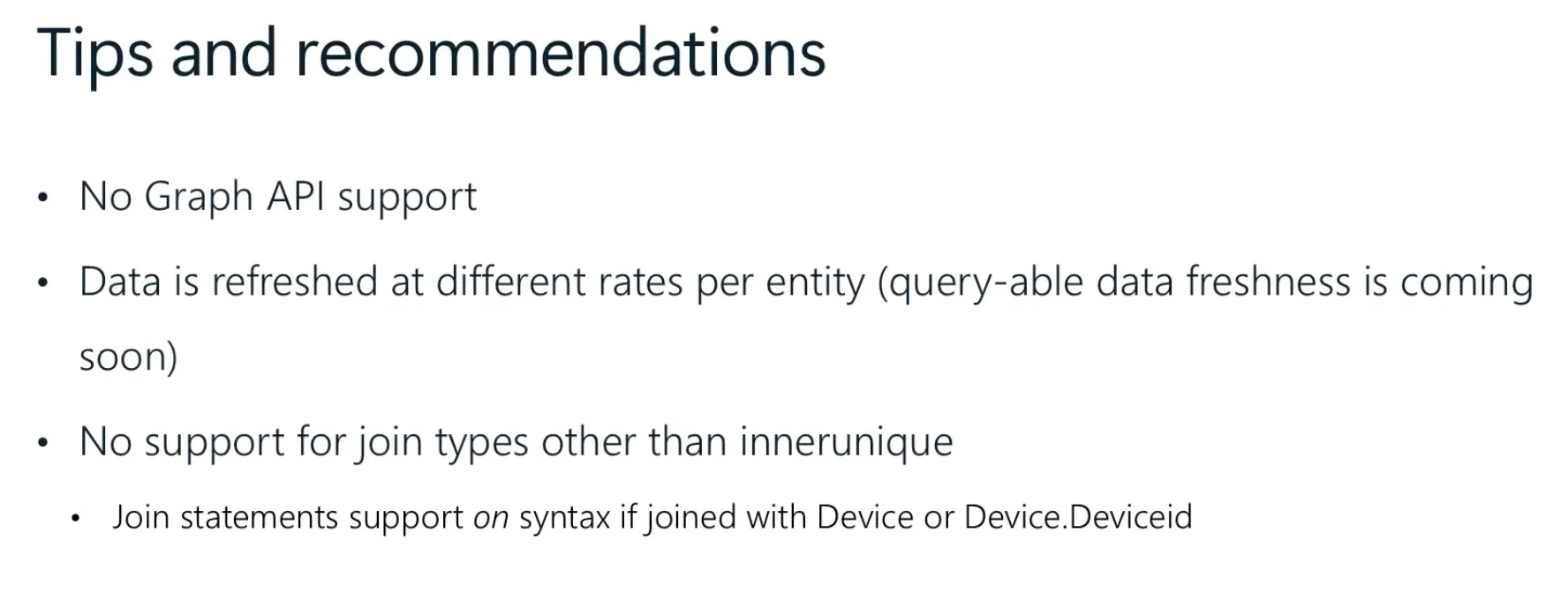
Queries run through Intune, using Graph API and the Inventory Service. Graph API support isn’t available yet, and data refresh rates vary.
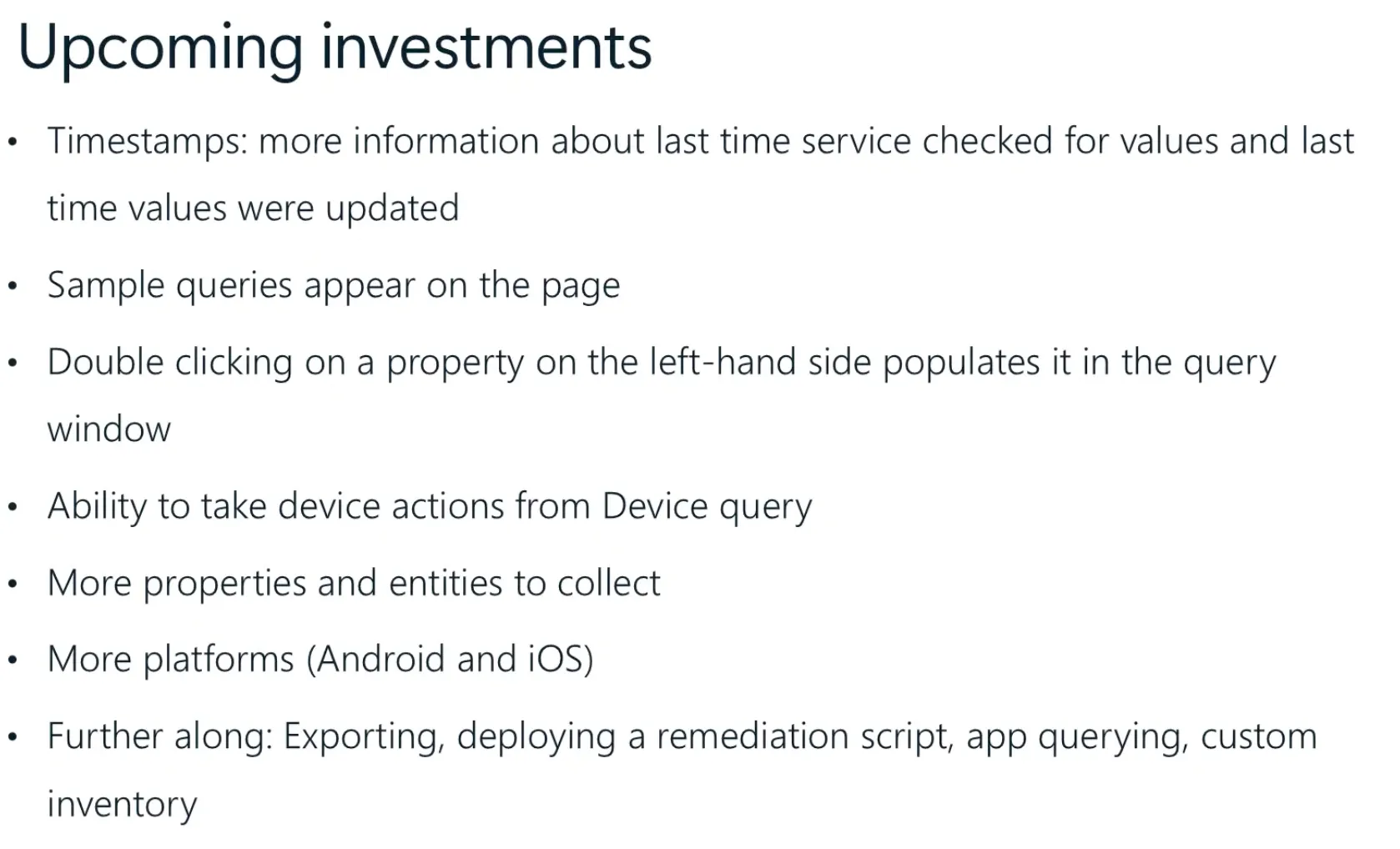
Upcoming features include better timestamps, device actions, expanded attributes, cross-platform support, and options for exporting, remediation scripts, and custom inventory tracking.
Administrator Protection
Administrator Protection is a new security feature in Windows that enhances privilege management using Just-in-Time (JIT) elevation. Instead of automatically elevating privileges, it requires separate admin profiles for sensitive tasks. Admin tokens are discarded after use, reducing the risk of persistent admin access. Configurable with Intune.
Currently, it is available in Windows Insider Canary for testing, with plans to be enabled by default in future updates.
Connected Cache
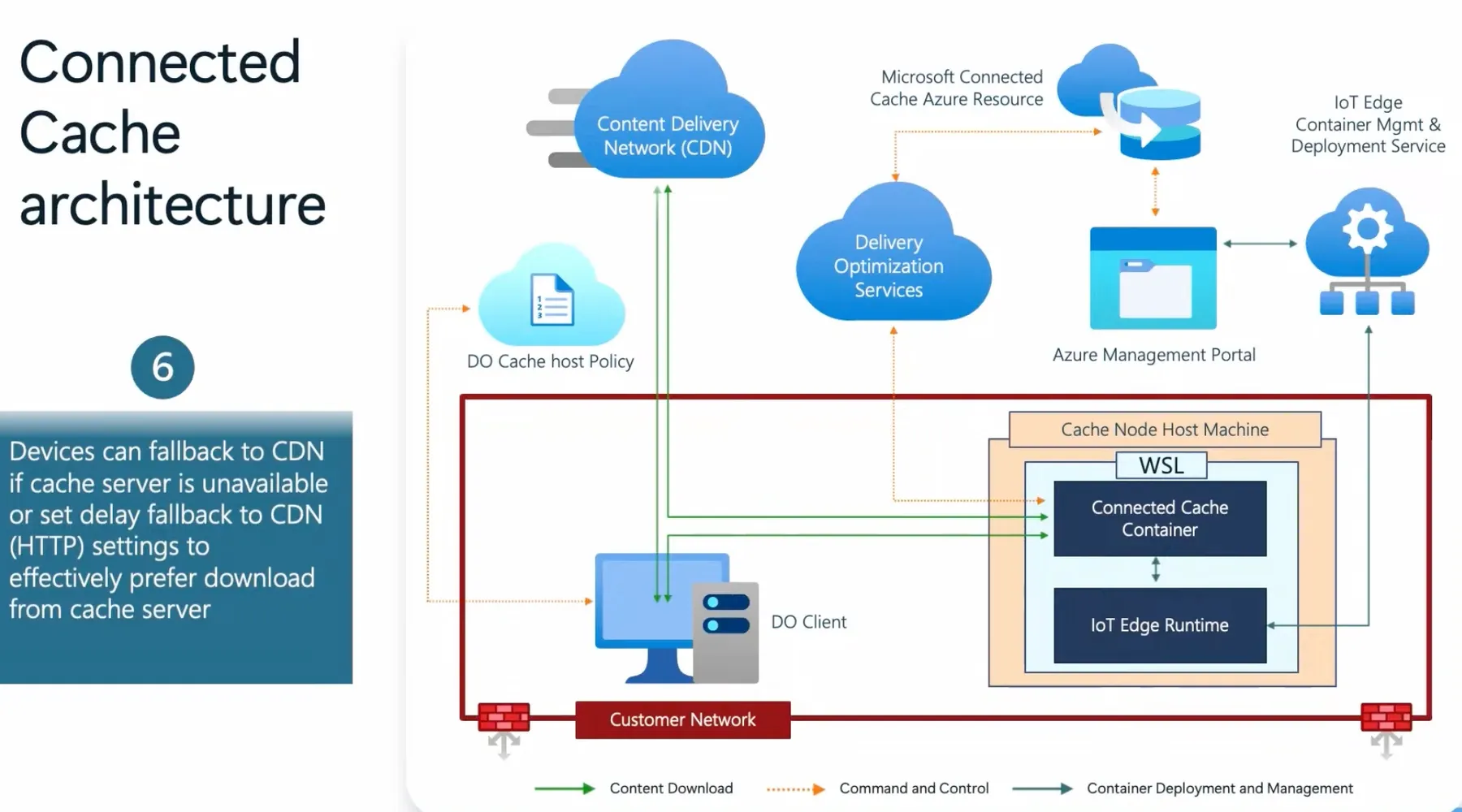
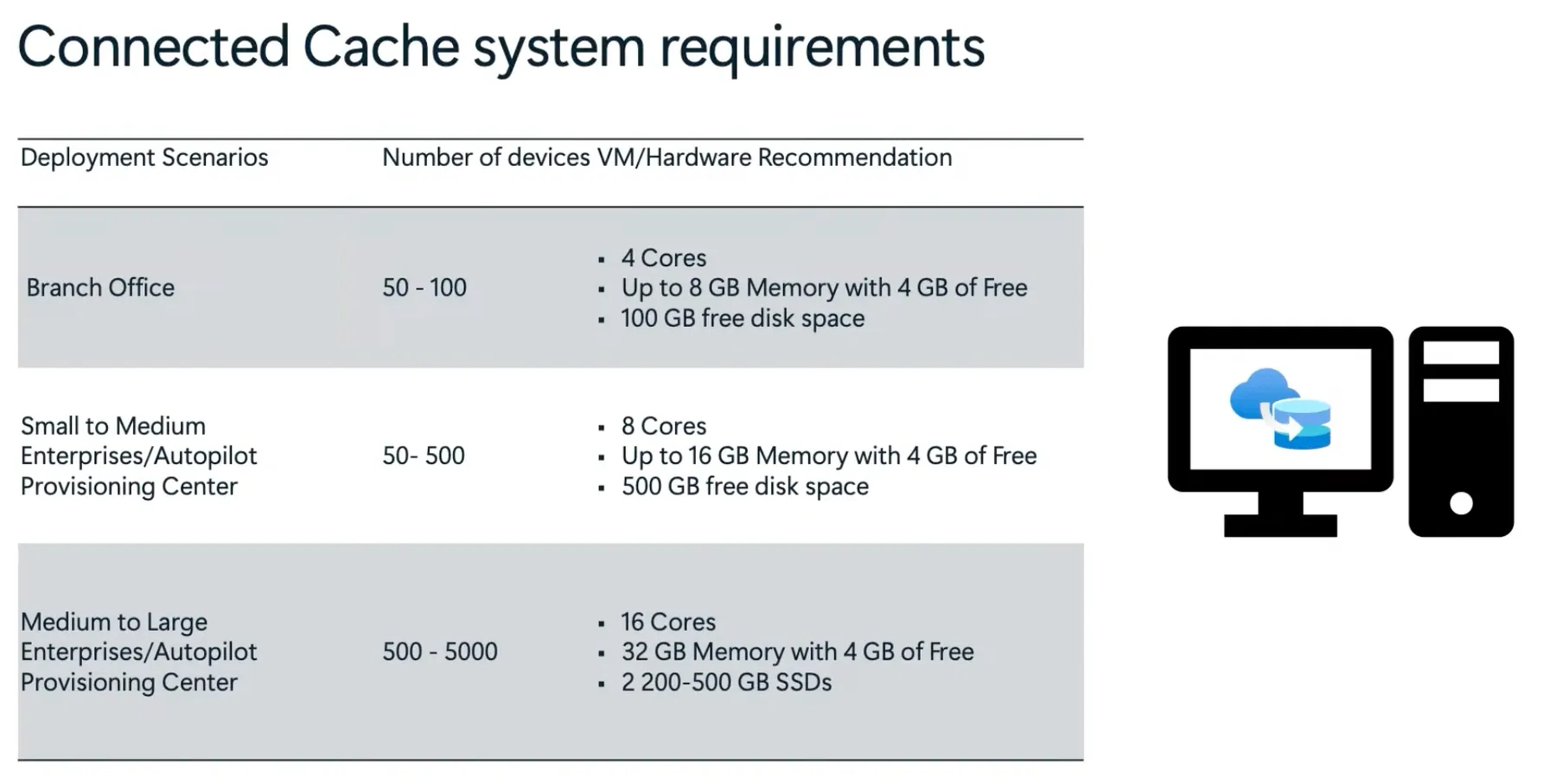
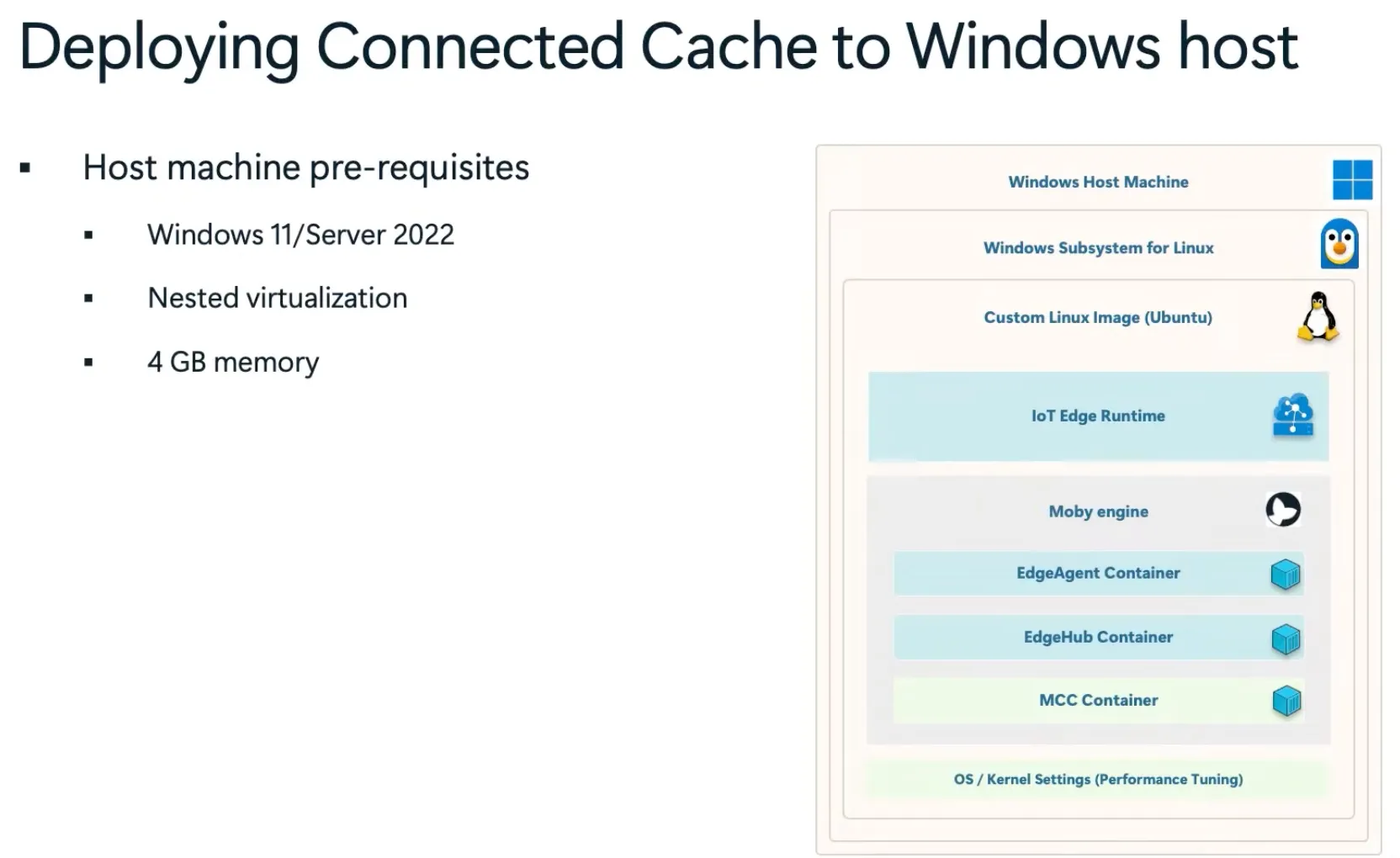
Connected Cache is a local caching solution for Microsoft content, reducing bandwidth usage and improving download speeds. It caches Windows updates, Intune apps, and Microsoft Store content, allowing devices to retrieve them locally instead of from the cloud.
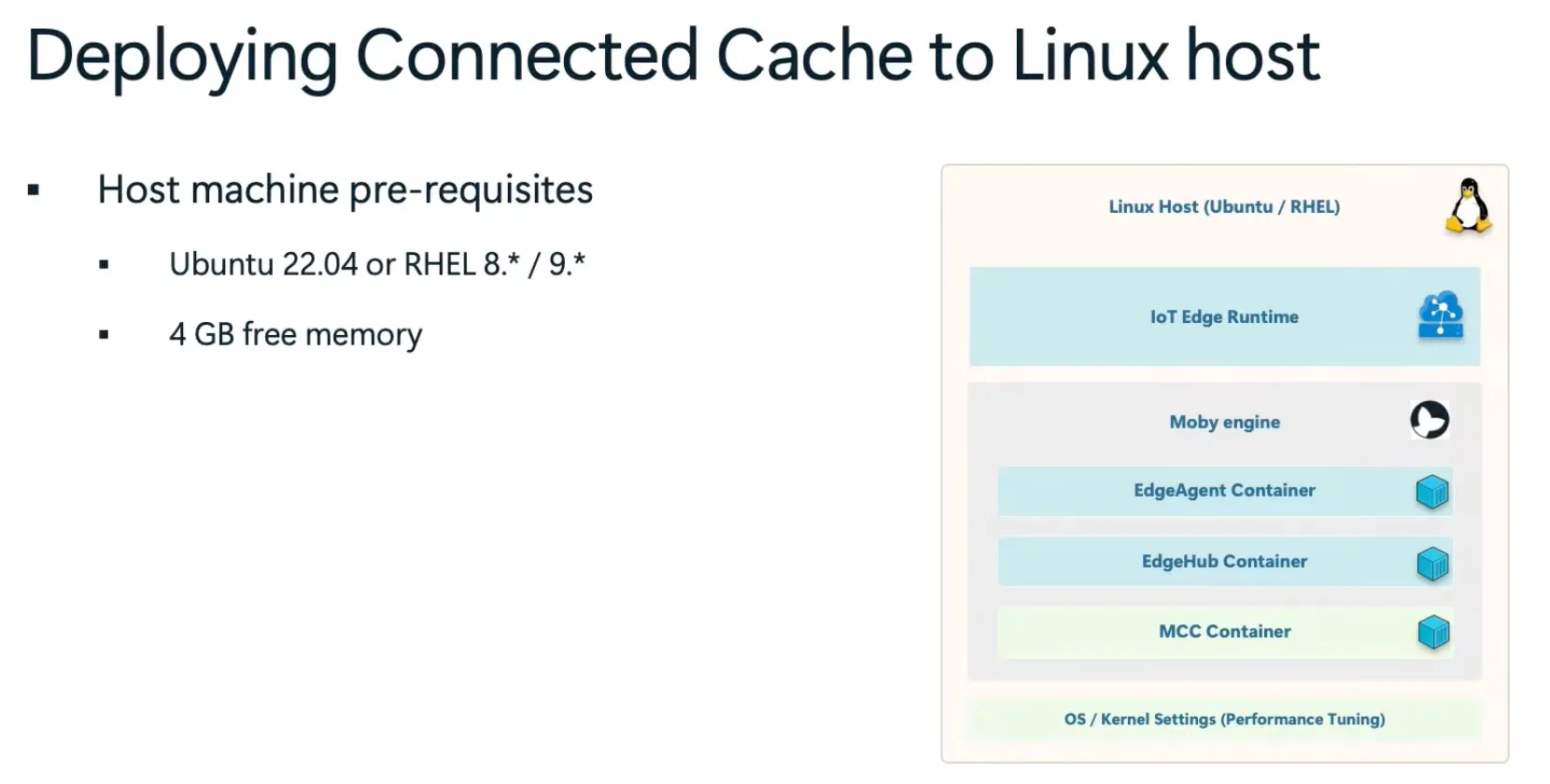
It works with Delivery Optimization (DO) and falls back to the Content Delivery Network (CDN) if needed. The cache is managed via Azure IoT Edge and runs as a containerized node on Windows or Linux.
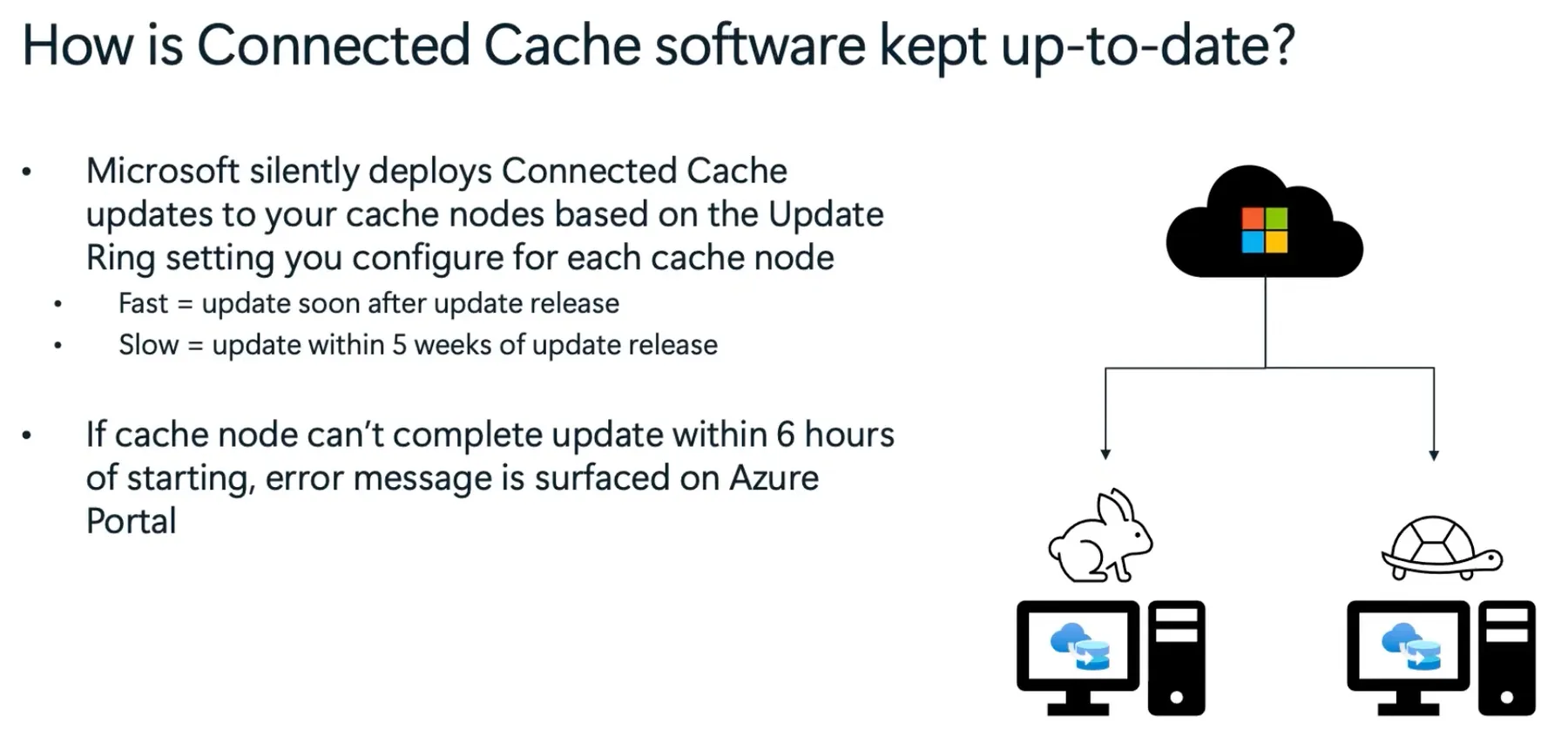
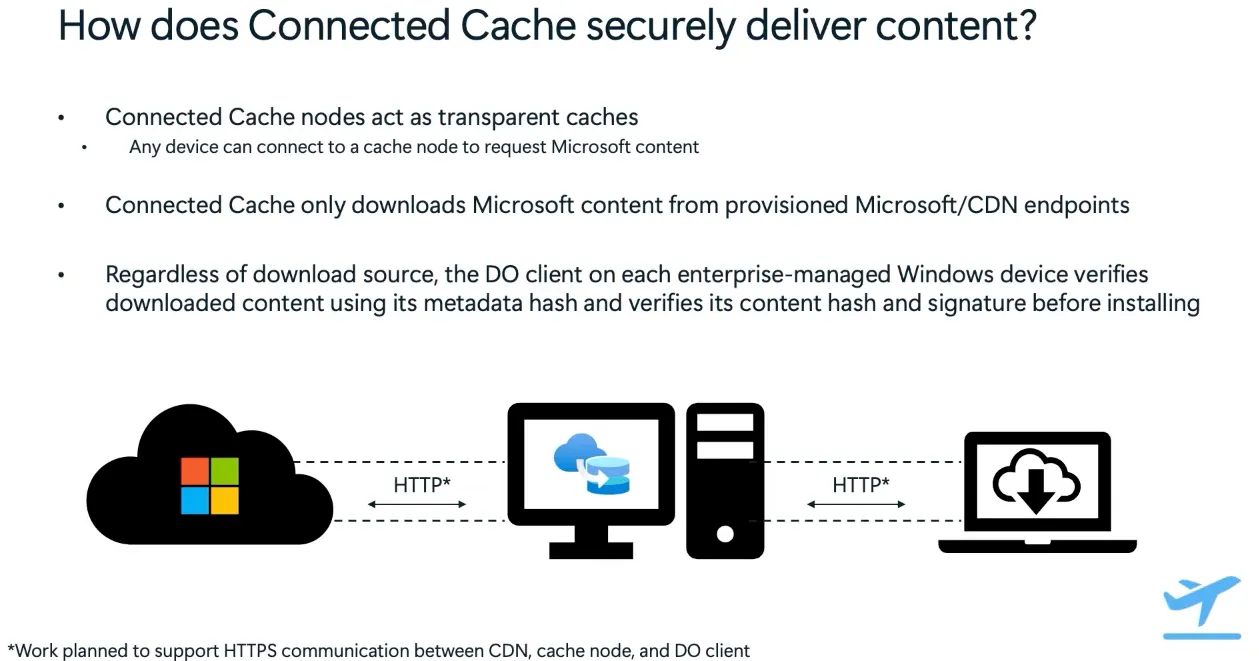
Security is enforced by caching only Microsoft-signed content, with hash and signature validation on enterprise devices. Updates are managed automatically via Microsoft update rings.
Windows LAPS
Windows Local Administrator Password Solution (LAPS) introduces Automatic Account Management Mode, which fully automates account lifecycle management, including creation, configuration, password rotation, and tampering protection. This feature is integrated into Intune’s Account Protection Policy for centralized management. It is supported in Windows 11 24H2, Windows Server 2025, and future releases. Furthermore Windows LAPS introduces improved password readability and passphrase support for better usability. A new post-auth process termination enhances security by automatically closing sessions after authentication. The rollback feature prevents lockouts by restoring the last valid password in case of mismatches.
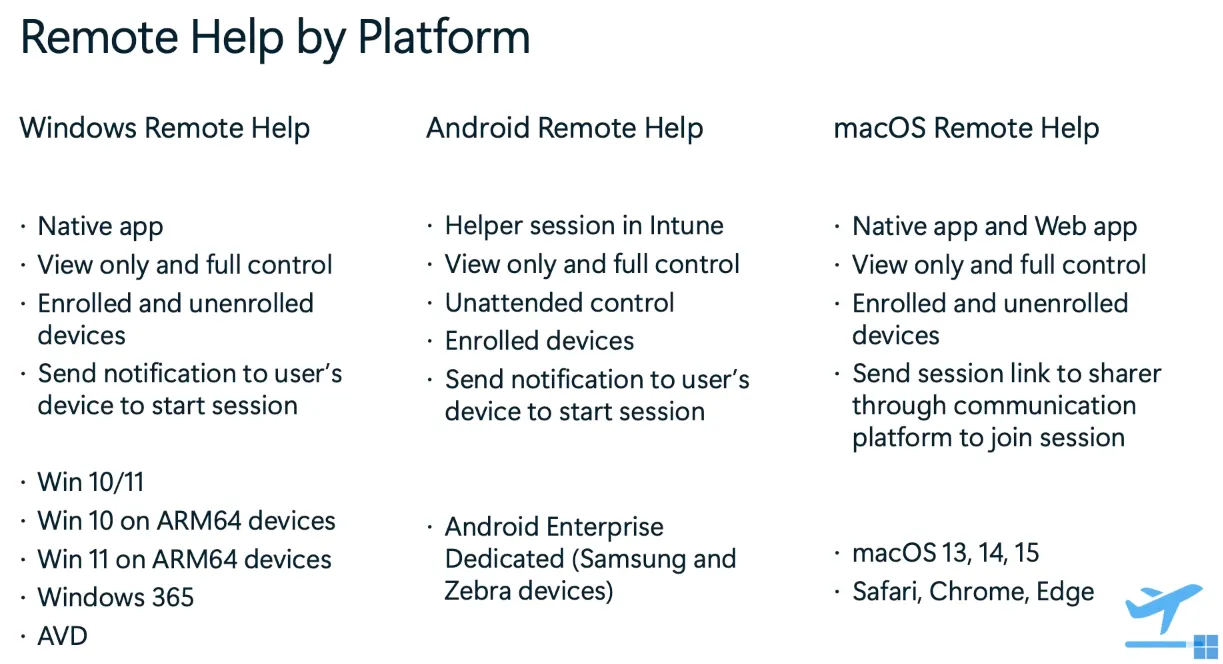
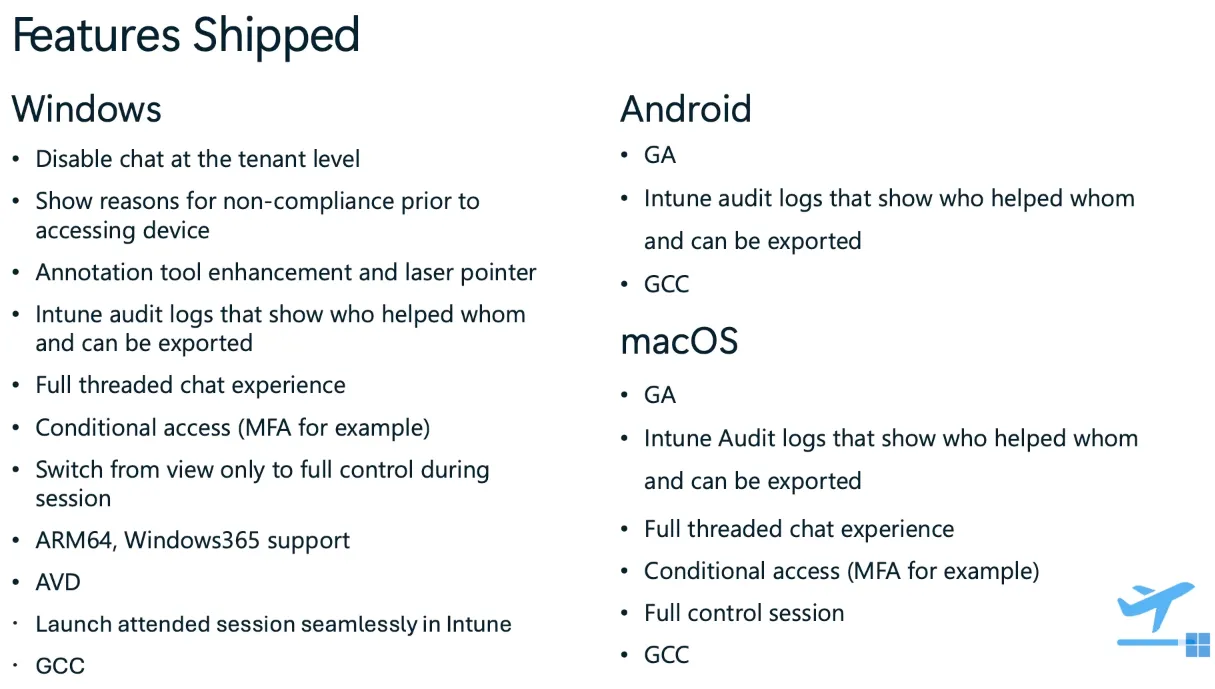
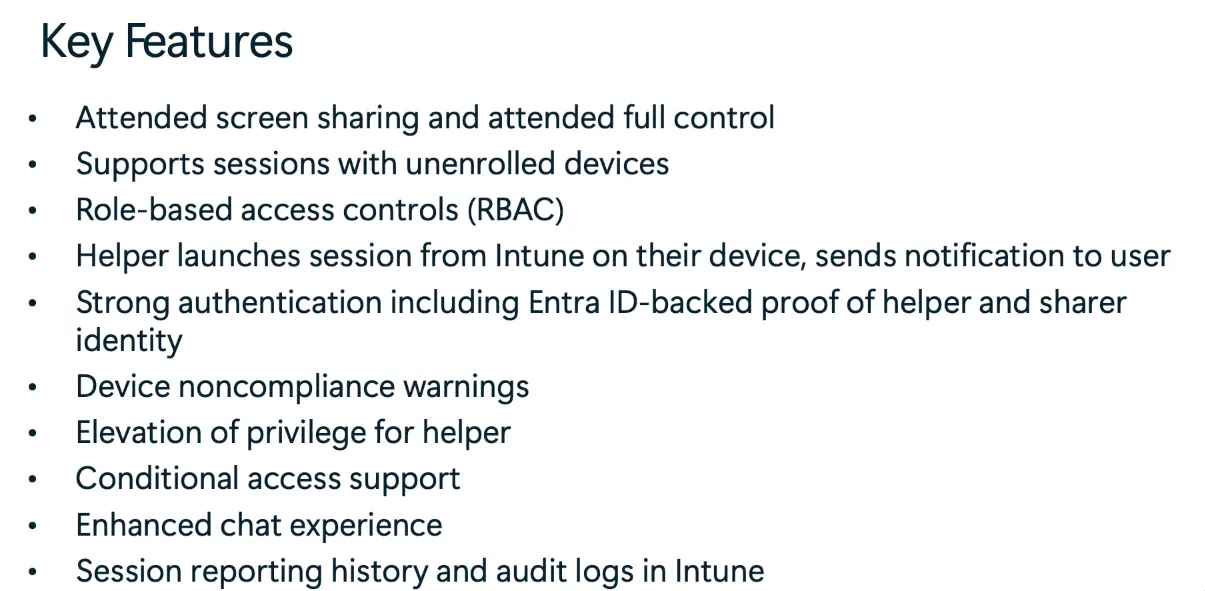
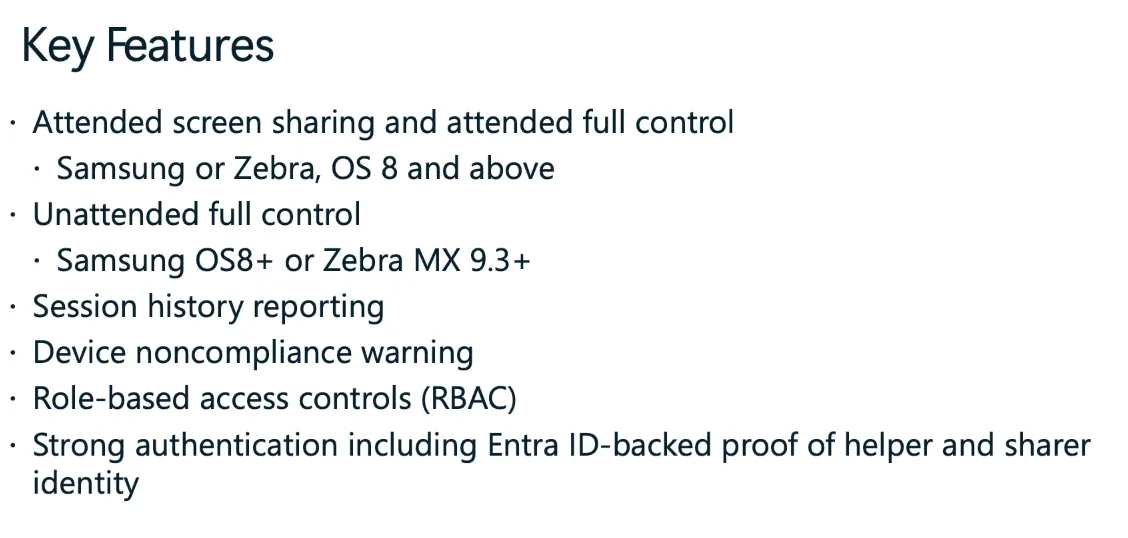
Remote Help
Windows Remote Help
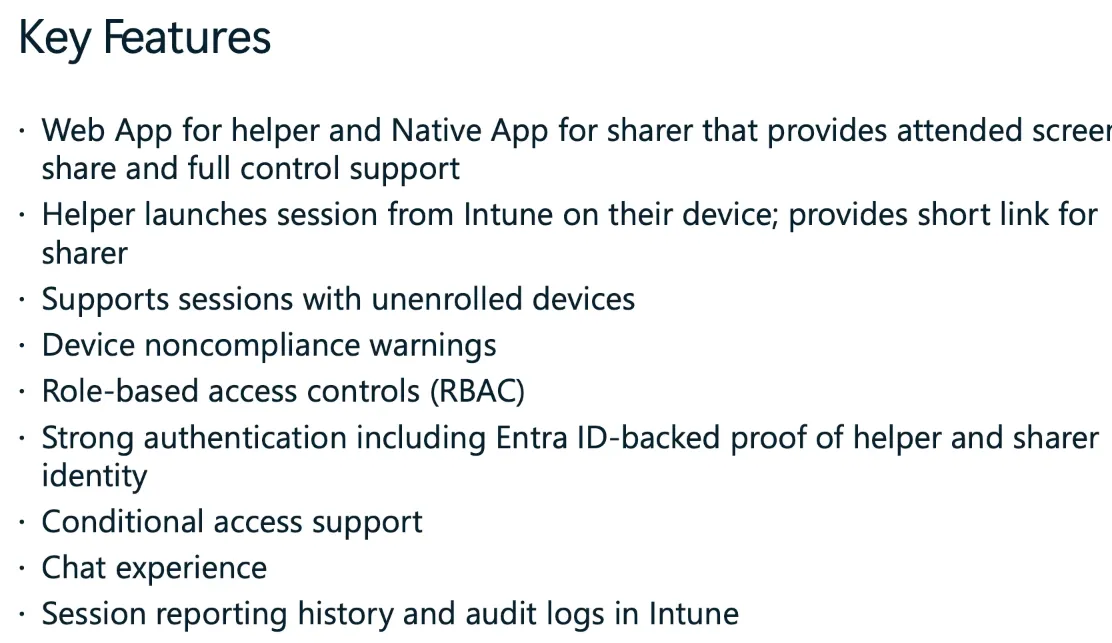
Supports enrolled and unenrolled devices with full control and view-only modes. Integrated with Intune, AVD, and Windows 365. Adds Intune audit logs, role-based access (RBAC), and conditional access support.
Android Remote Help
Now supports unattended control for Android Enterprise Dedicated devices (Samsung/Zebra). Includes session history, device noncompliance warnings, and Entra ID authentication.
macOS Remote Help
Available as a web and native app. Supports unenrolled devices, role-based access, and full control sessions. Adds conditional access, chat, and session audit logs.
Sessions on demand 📹
See this list with links to all sessions with videos on demand available:
Day 1
- Let's talk Windows and Intune: 2025 edition
- Enhance and supercharge IT management with Copilot in Intune
- The hottest way to update Windows 11 and Windows Server 2025
- The path ahead: The roadmap for Windows in the cloud
- Achieving update harmony through unified update management
- Intune 'fast lane' - Let's talk about all things latency
- Untangling this thing called AI in a Windows ecosystem
- Understanding security and management on Windows 365 Link
- Unlocking productivity on the frontline with Windows 365
- From admin to standard user with Endpoint Privilege Management
Day 2
- Managing macOS updates in Intune
- Windows Autopatch: Your playbook for advanced update management
- Unified security: Intune + Microsoft Defender for Endpoint
- AMA: Microsoft Application Management for Windows
- Effective prompt engineering for IT pros
- Utilize, configure, and manage Cloud PKI like a pro
- Skill up! Cloud PC management and reporting
- Get to know Windows security and resiliency in the cloud
- Windows 11 kiosks: Cloud management for the win
Day 3
- Enabling accessible Windows 11 experiences: an IT pro's guide
- Never trust, always verify: Tips for Zero Trust with Intune
- Data protection with hardware-based security and Windows 11
- Best practices for Windows Autopilot and device preparation
- Intune data platform and Advanced Analytics
- Enhancing resiliency with Windows 365
- How to protect your administrator users on the device
- Delivering like-local Windows experiences from the cloud
- Deploying Microsoft Connected Cache for Enterprise at scale
- Secure corporate data and privacy with Win32 app isolation
Day 4
- Azure Virtual Desktop app management
- Azure Virtual Desktop hostpool management at scale
- Device management for the frontline: Intune to the rescue
- The latest and greatest in the world of Windows LAPS
- AMA: Cloud native with Microsoft Intune
- Secure helpdesk support using Intune Remote Help
- Enterprise Application Management with Microsoft Graph
- Windows cloud migration and deployment best practices
- Windows 10 EOS: Myths, misconceptions, and FAQs
powered by Oceanleaf
Related posts