Summarized: Windows Update for Business reports (former Update Compliance)

Introduction
So, Windows Update for Business houses a lot of components, including:
- Receive update services: Windows end device
- Configuration: through GPO, CSP or Graph API and PowerShell SDK
- Reporting: Windows Update for Business reports (now generall available) - what this post is about, along with a description, technical implementation, transition from previous solutions and some tips & recommendations
Solution description
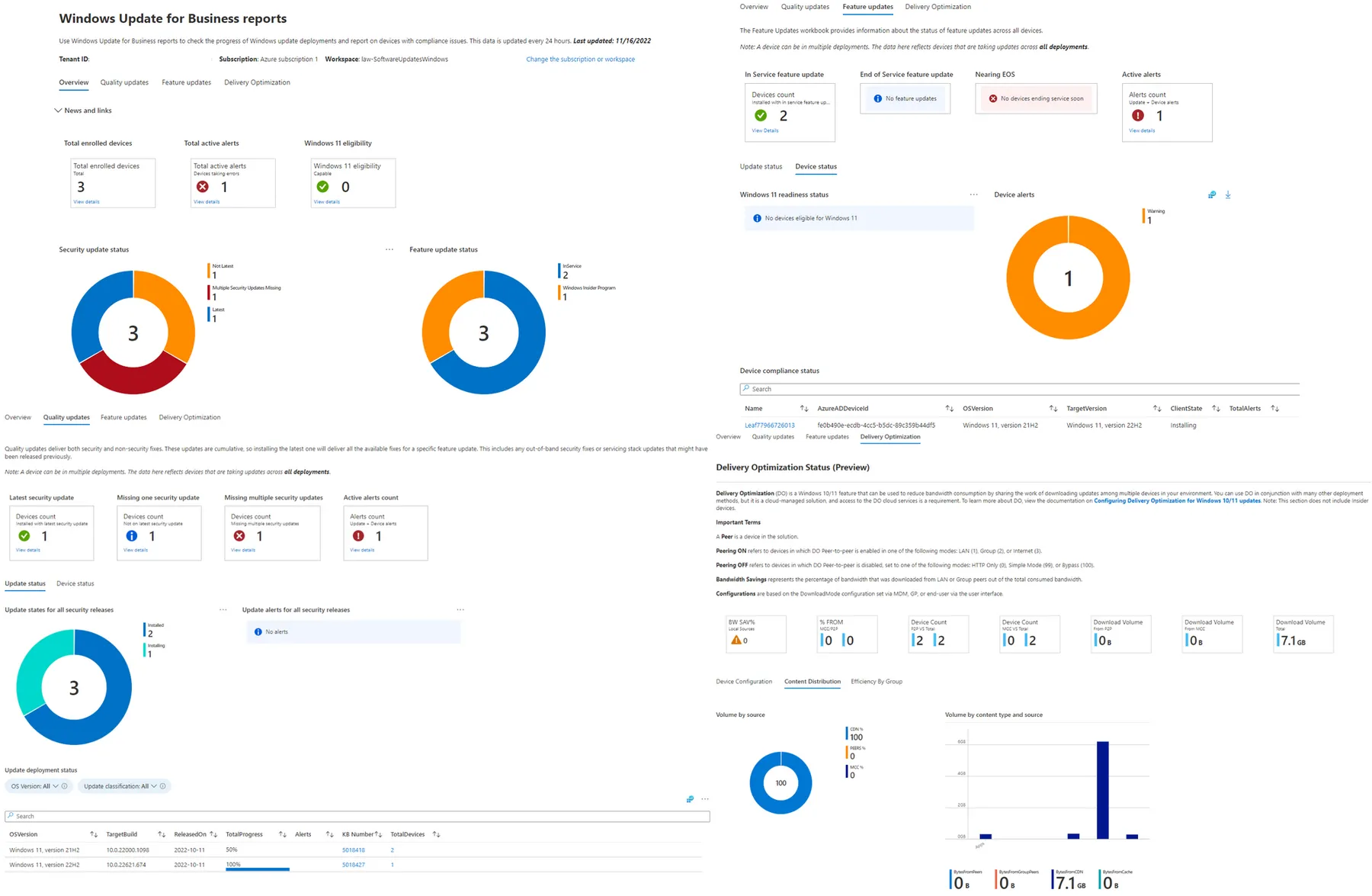
If you choose to enable Windows Update for Business reports (WUfB reports), you will have an Azure Log Analytics Workspace that hosts a Workbook that receives data through the Commercial Data Pipeline, from your Entra joined devices.
This data is all about Windows Updates such as Quality and Feature update deployment insights, status of updates and per device. Furthermore Delivery Optimization is covered, that shows how the devices used peering and bandwidth consumption.
Official sources
- Reports overview
- Prerequisites
- Enable Windows Update for Business reports
- Client configuration with Intune
- Use the reports workbook
How to configure Windows Update for Business reports
There are two options to enable the solution, please make sure that you meet the prerequisites, which include:
- Azure subscription with Log Analytics Workspace
- Contact to network endpoints
- Entra joined devices with Windows 10/11 Pro, Edu or Enterprise edition
Log Analytics Workspace
Create a new Log Analytics Workspace in your Azure subscription. (straight-forward). You may think about adjusting the data retention. (Be careful, this could generate extra costs).
Azure Monitor
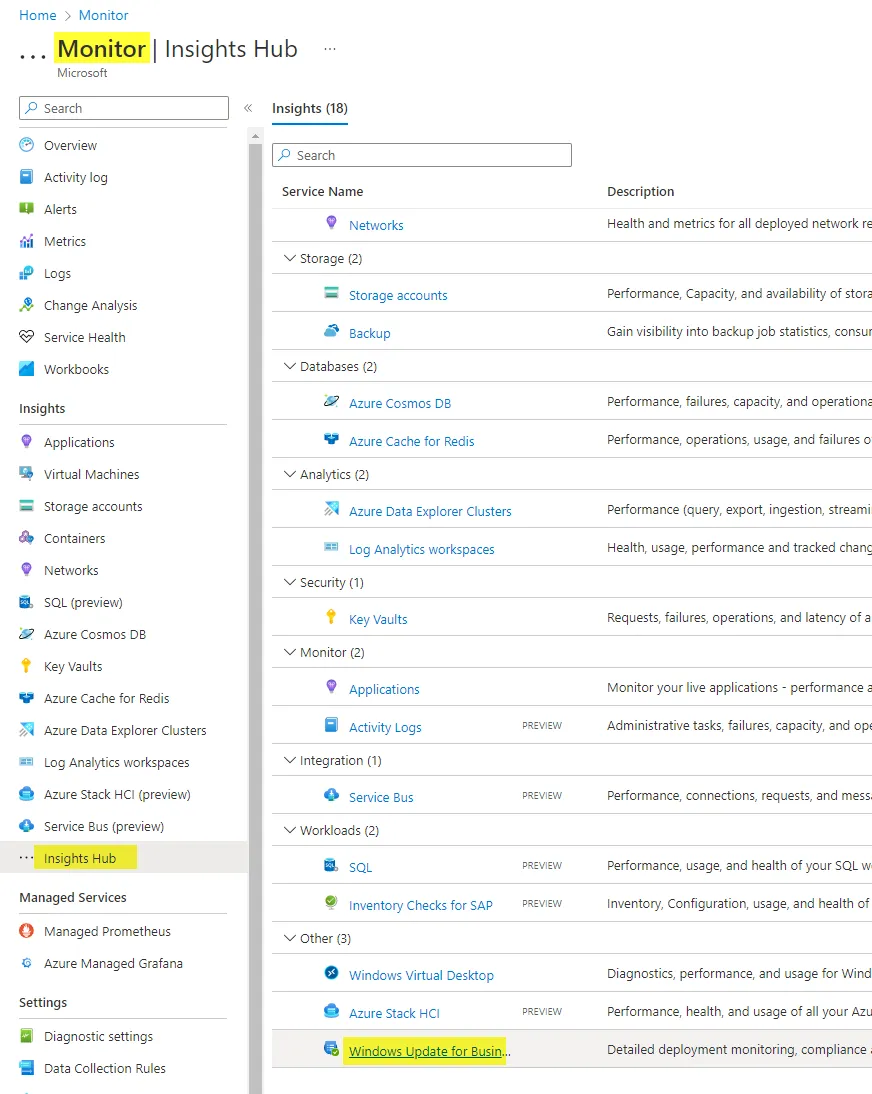
Navigate to Azure Monitor>Insights Hub>Winodws Update for Business reports. (scroll down)
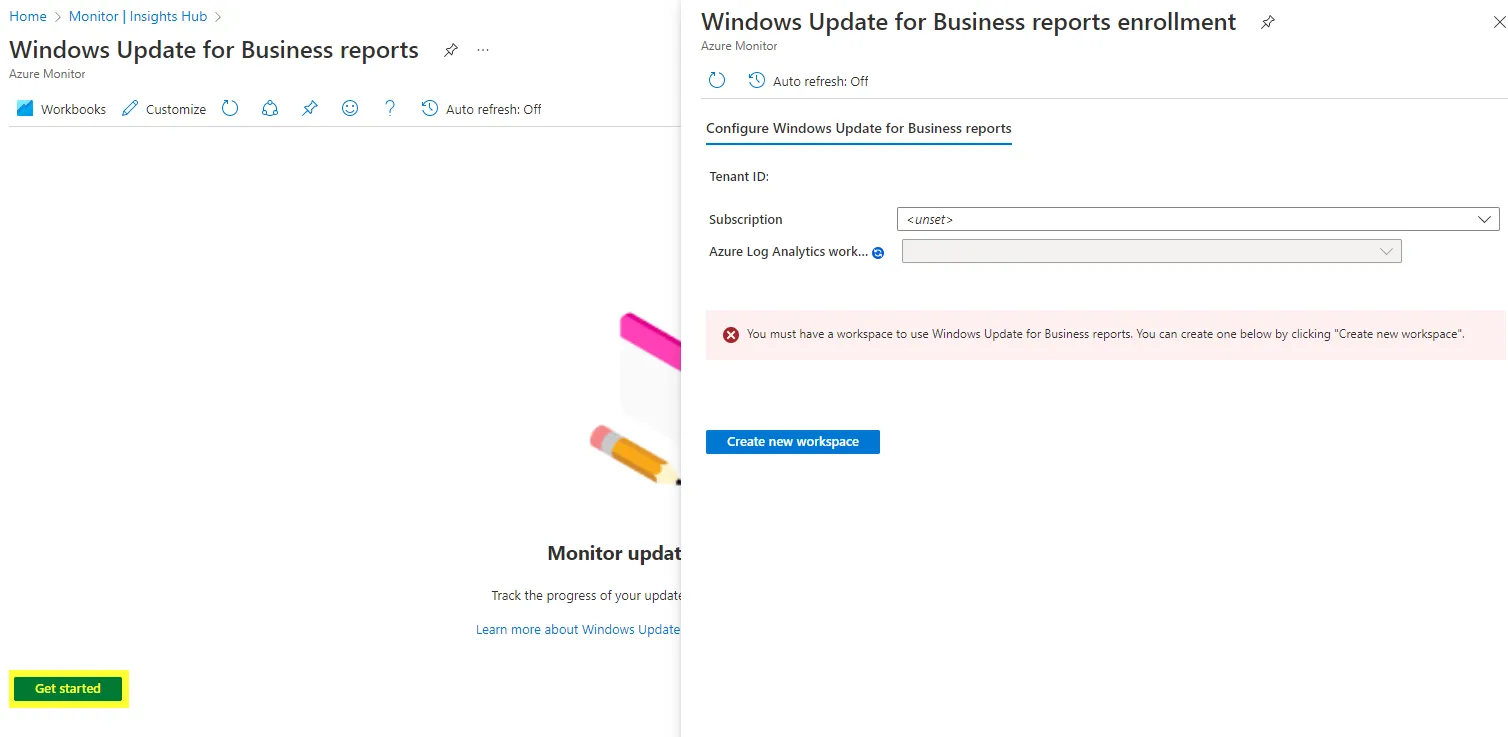
Now click on Get started and choose a subscription and a Log Analytics Workspace.
As the Workbooks relys on logs, you could also query all data with KQL. There are new tables added, which you can find here.
Intune settings configuration
You can find the Intune settings to configure, here.
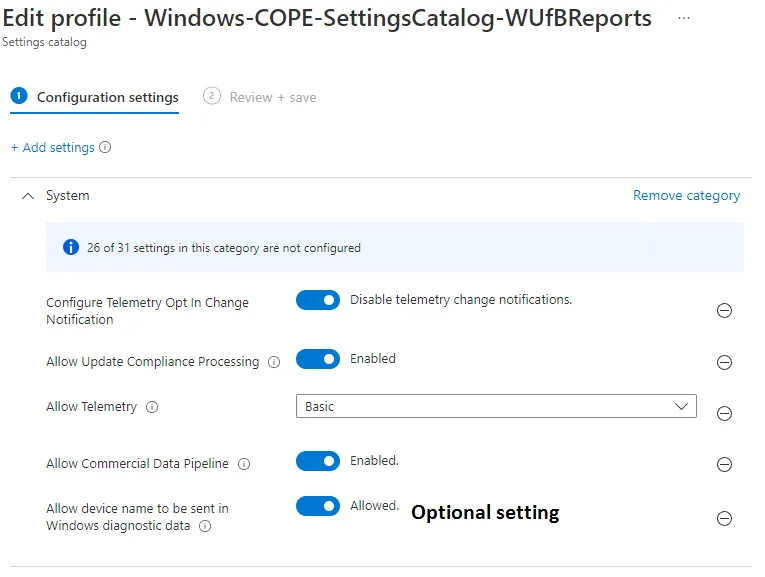
Now it can take up to 48 hours until data is displayed.
The transition from Update Compliance to WUfB reports
Update Compliance was the predecessor to WUfB reports. This solution included:
- Azure subscription with Log Analytics Workspace > you can still reuse these, but I would create a new Log Analytics Workspace for the future
- Azure Marketplace "Update Compliance" solution on top of the Log Analytics Workspace, that provided a commercial ID > not needed anymore
- Intune OMA-URI, custom configuration profile > policy can transitioned to Settings Catalog
Intune built-in Windows Update reports
Note, that there are also built-in reports available from Intune>Reports>Windows Update (Preview). These are independent from the steps described above.
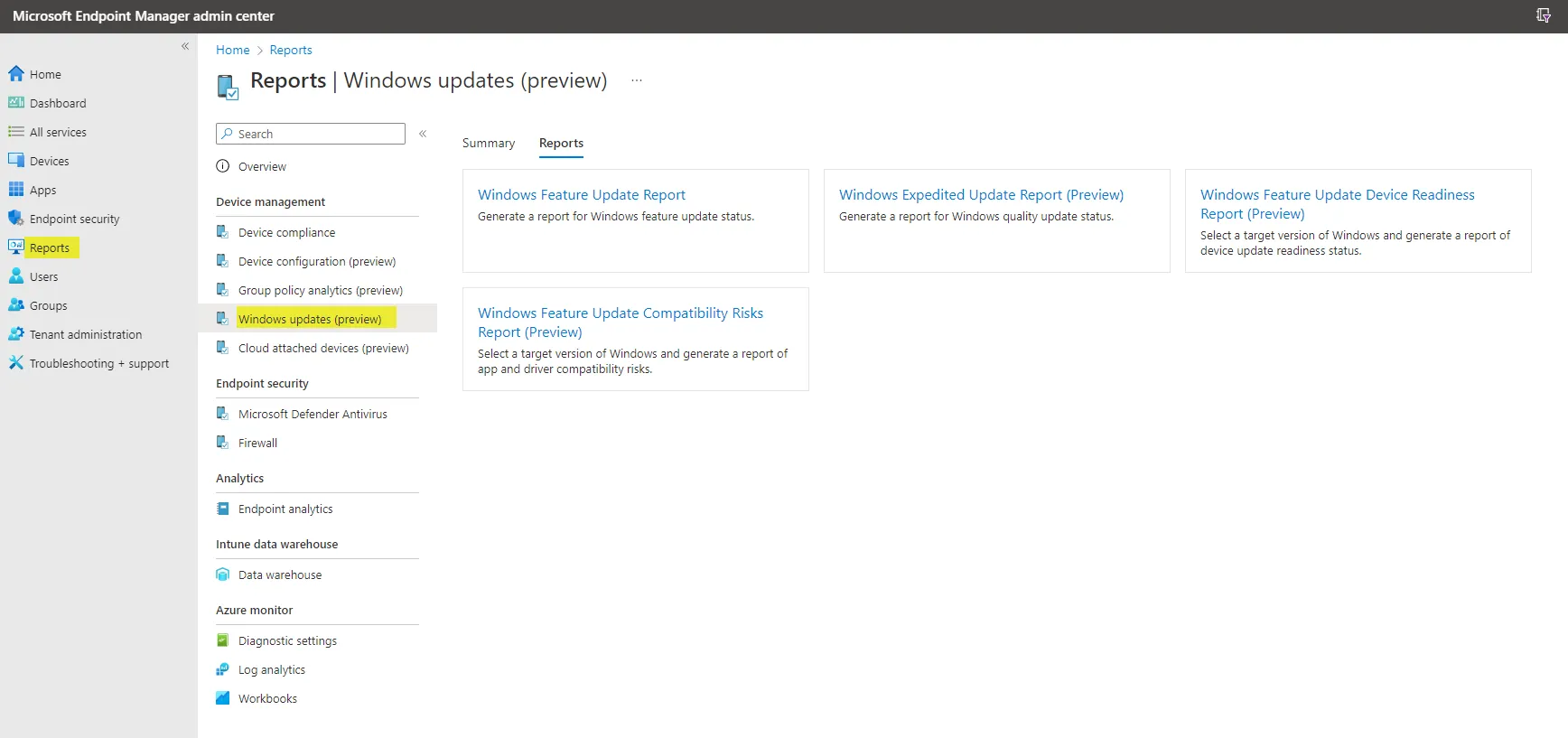
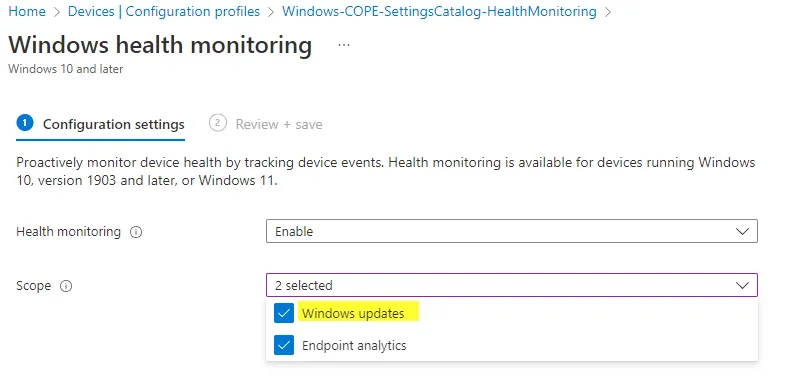
This requires the Windows health monitoring configuration profile to be modified. You need to enable Windows Updates.
My recommendation
Every modern Windows endpoint is provided with regular updates. Especially from a security perspective, it is very likely that you will receive a lot of updates, sometimes out-of-band or expedited. To keep track of all updates and devices, be sure to implement WUfB reports. Proactively monitoring update status is key for compliance and can benefit the user experience. You may also consider implementing the Update Compliance Dashboard from MSEndpointMgr community. In addition, there is no cost associated with data ingestion for WUfB reporting data.
Read more about Windows Update for Business + Intune from Florian Salzmann
Related posts