Intune RBAC permissions

Introduction
Intune role-based access control allows administrators to control the level of access to the Intune portal and its resources.
It works by assigning roles to users or groups of users. Each role defines a set of permissions throughout Intune or device management such as Device configuration, remote tasks, security baselines, app management and so on. Usually you can give read or write access.
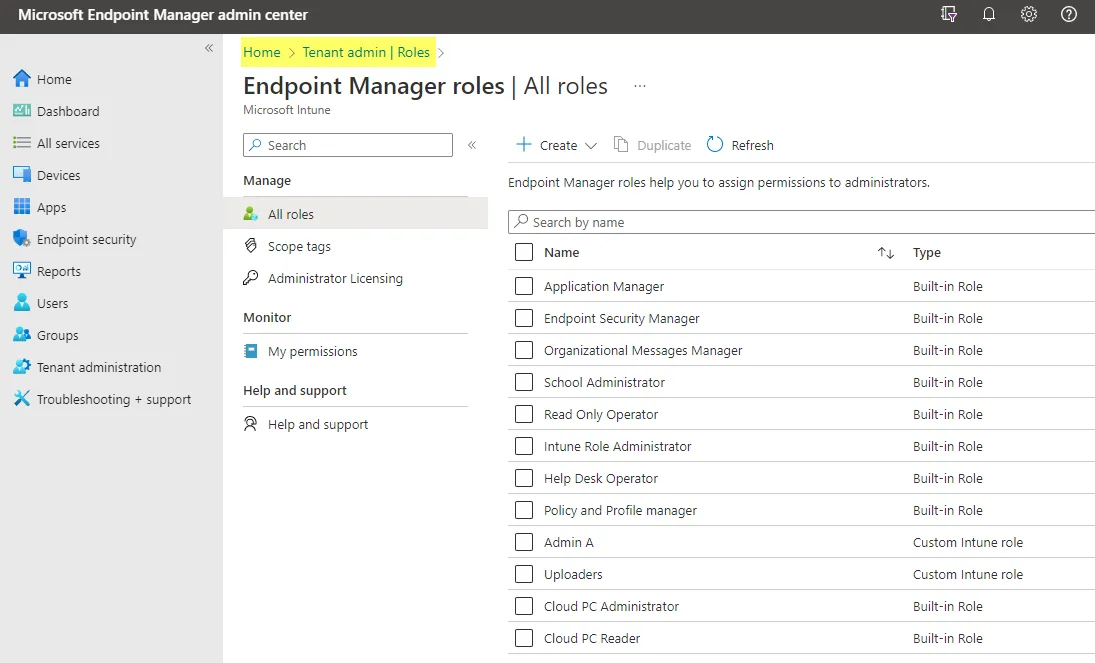
In Intune you find all roles under Tenant administration > Roles:
By default you can see the Intune built-in roles that are equal in all tenants, but you can create own roles and configure the permissions as you want.
This post only covers Intune RBAC permissions with some concepts and recommendations.
Role source
It is important to understand the difference of the role sources for permissions in Entra ID and Intune. These are not the same roles and are not available or to be assigned vice versa.
- Entra ID - all Entra roles that are intended for all Microsoft 365 cloud services, primarily productivity and collaboration. (Azure resources Identity and Access (IAM) excluded.) See reference
- Intune - product/Intune specific roles that are only available and usable in the Intune admin center. See reference
Entra roles with Intune access
Some Entra roles also have permissions in Intune. This table shows an overview:
| Microsoft Entra role | All Intune data | Intune audit data |
|---|---|---|
| Global Administrator | Read/write | Read/write |
| Intune Administrator | Read/write | Read/write |
| Security Administrator | Read only, full permissions for Endpoint Security | Read only |
| Security Operator | Read only | Read only |
| Security Reader | Read only | Read only |
| Global Reader | Read only | Read only |
| Helpdesk Administrator | Read only | Read only |
| Compliance Administrator | None | Read only |
| Reports Reader | None | Read only |
Migrate roles
If you plan to migrate roles and redefine access, you may walk through these key steps and phases:
Assessment
- Assess the currently assigned users for:
- Intune administrator
- Microsoft Entra Joined Device Local Administrator
- (Other roles mentioned above too, but these primarily)
- Check if there are any Intune RBAC roles assigned
- Check if any custom roles exist and try to find out their use
- What do the current Intune operations look like? Who does what?
Sidenote: Is it desired to enable Entra roles with privileged identity management (PIM)?
Concept
5. Define a concept of Intune operations (see chapter below). Here you need to clarify the following questions:
- What jobs need to be done in Intune and what are the job roles? (e.g.: Intune full admin, help desk, security admin)
- Which Intune and Entra roles fit the job roles?
- (If the built-in roles do not satisfy your needs, create a custom role)
- It is important that you have a clear process on how to claim and remove the future roles, think of the lifecycle here (access reviews on the groups)
- If an employee is newly assigned for Intune operations or changes position
- Consider leveraging PIM
Change
7. Before you want to make the change you should ensure that the roles have the needed permissions for the everyday work - so make a proof of concept and assign one of the new roles to a user and let them verify the permissions
8. Assign all new roles to the users/groups, based on the concept
9. Remove old roles from the users
Operation
10. Users will have the new roles assigned and can perform actions based on their permission set. If some permissions are missing, consider adjusting the roles.
11. (Users may be required to enable their roles with PIM)
Role overview concept
My advice is to define a concept of your Intune operations and which admins need to perform which actions. My recommendation would look something like the following:
| Role | Role source | Description | Members |
|---|---|---|---|
| Intune administrator | Entra ID | This role can manage all aspects of Intune. Microsoft recommends it only for exceptions, not for daily work | Lead admins, only through PIM |
| Security administrator | Entra ID | This role can manage the Endpoint Security node of Intune and has read-only permissions to the rest | Security officers |
| Microsoft Entra Joined Device Local Administrator | Entra ID | Any member of this role is automatically added as local administrator on all Entra joined devices of the tenant. Better: manage local admins with the Intune Account protection policy "Local user group membership" | None |
| Application Manager | Intune | Can manage mobile and managed applications, can read device information and can view device configuration profiles. | App packaging employees |
| Policy and Profile Manager | Intune | Manages compliance policies, configuration profiles, Apple enrollment, corporate device identifiers and security baselines | Endpoint core team |
| Endpoint Security Manager | Intune | Manages security baselines, device compliance, Conditional Access and Defender for Endpoint | Security engineers |
| Read Only Operator | Intune | This role can view all data in Intune but make no manipulations | None |
| Help Desk Operator | Intune | Can perform remote tasks on users and devices and can assign applications or policies to users or devices. | Help desk staff |
Governance in Intune
- Intune roles (custom) - general role-based access control (RBAC) to grant different users different permissions. Custom roles can be created to define individual permissions.
- Scope Tags - granularly control access to a subset of Intune objects. (In large Intune environments this helps to restrict access to e.g.: a department or location of the company) Recommended post on this topic
- Multi Admin Approval - feature that allows a request/approval process for Intune objects and, when enabled, also for RBAC changes (roles, admin groups, assignments). This is a dual control mechanism.
- Privileged Identity management - identity and access security feature (requires Entra ID P2 or Entra ID Governance) to provide Entra roles to identities with several controls.
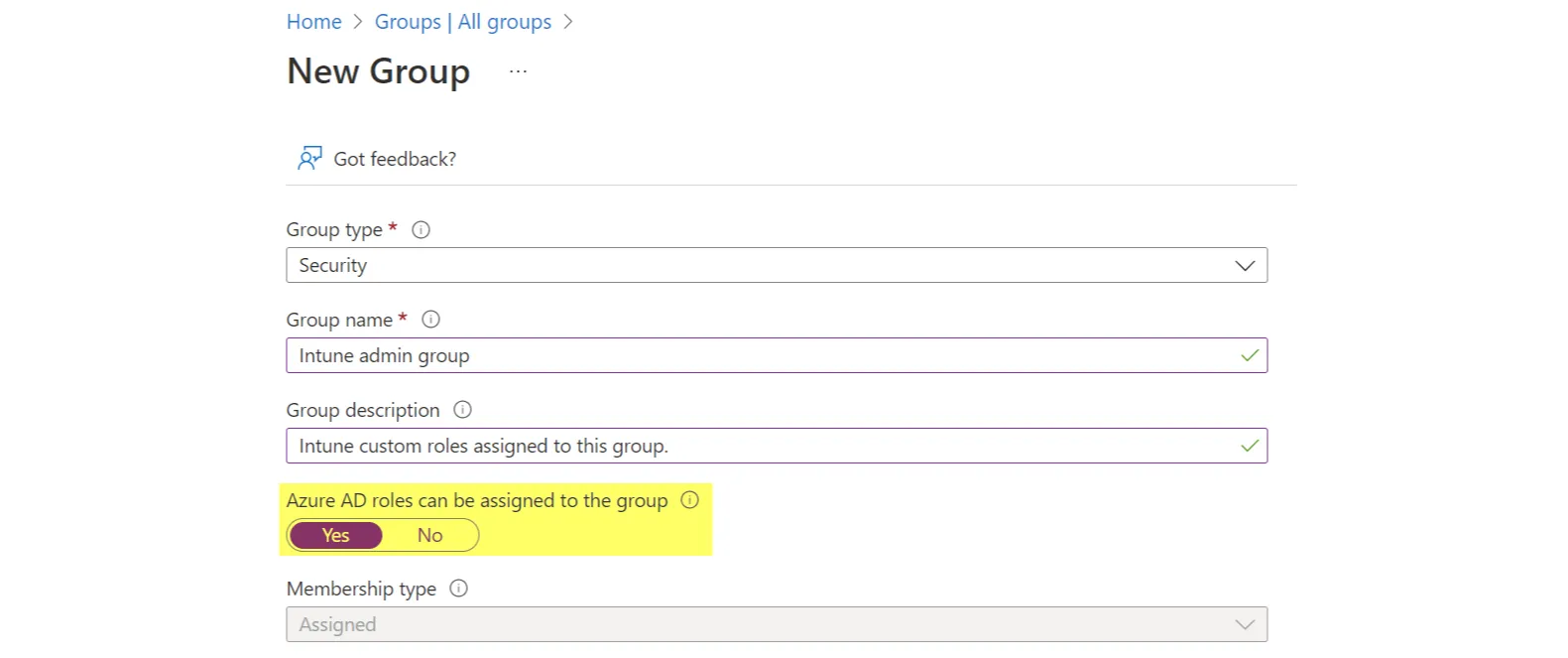
- PIM for Groups (formerly Privileged Access Groups) to manage Entra ID groups, where for example Intune custom roles can be assigned to, with similar functionalities of privileged identity management (PIM).
Auditing
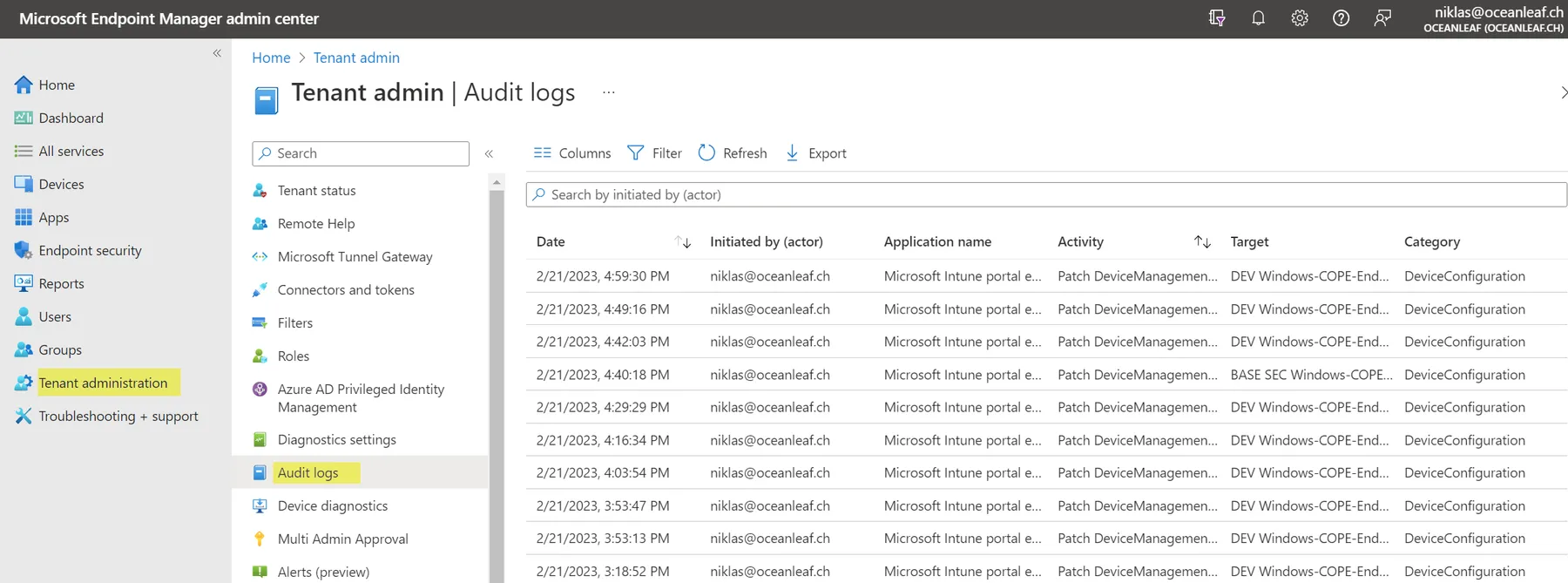
In Intune all audit data is available under Tenant administration > Audit logs. The portal shows the last year (adjust the date filter), the Graph API returns two years. With this, it is possible to determine who has performed which actions and which tasks. You may also consider forwarding Intune platform data to a Log Analytics Workspace or my Intune change tracking workbook.
Related posts