
Intune automation enlightenment - Azure Logic App + Graph API + Managed Identity
Introduction
In this post we are going to delve into automation for Endpoint Management with Intune. The idea is to give you a powerful and secure tool that you can then use to develop solutions for any use case.
Make sure to understand Graph API and Managed Identity in advance to this post.
Solution overview
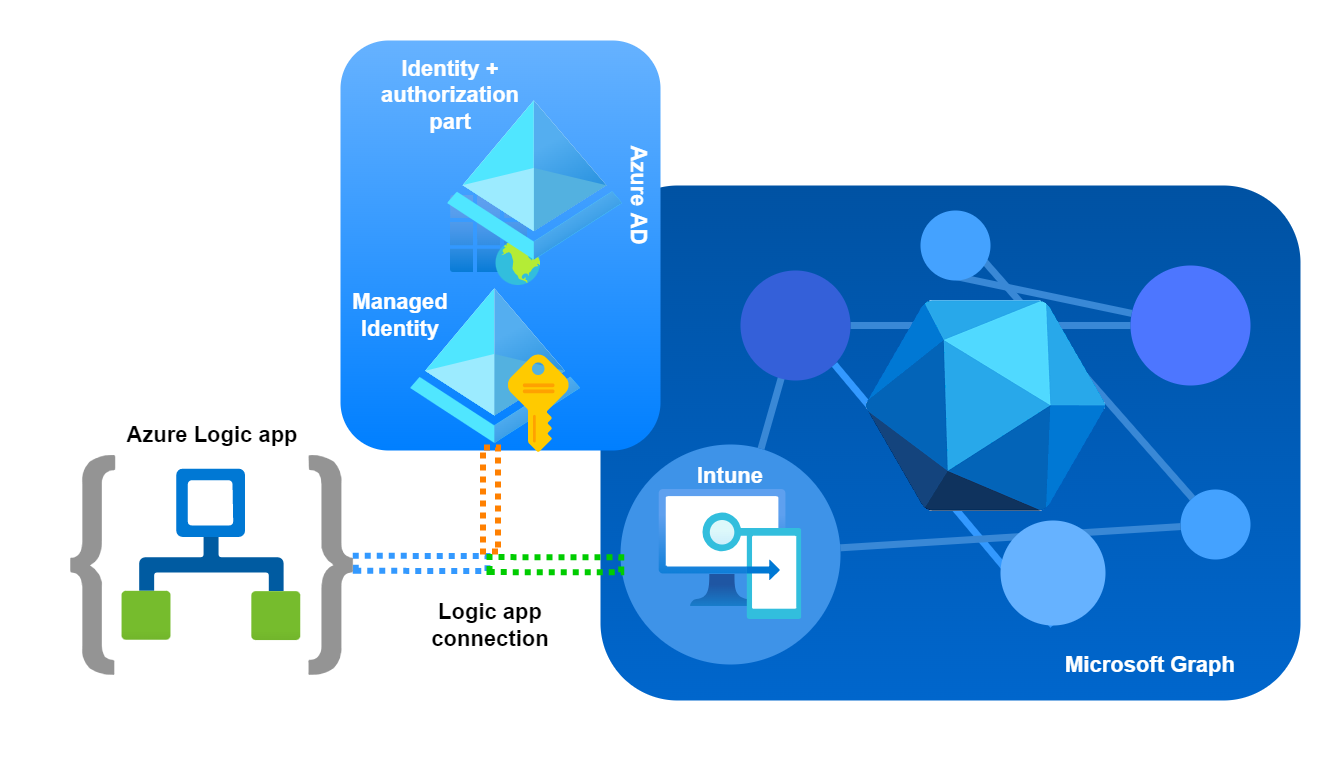
- The blue line represents the Logic app that calls Graph through a HTTP request.
- The orange line represents the authorization flow from the Managed Identity of the Logic app. Essentially Entra ID validates the permissions for the Managed Identity to Graph API.
- The green line represents a successful authorization and access to the Intune/Device Management Graph API resources. -> HTTP request successful
Automation components
- No/low code workflows to build automations with Azure Logic Apps
- Access to Intune data through Graph API
- Secure authentication through Managed Identity that has Graph API permissions assigned
Azure Logic App
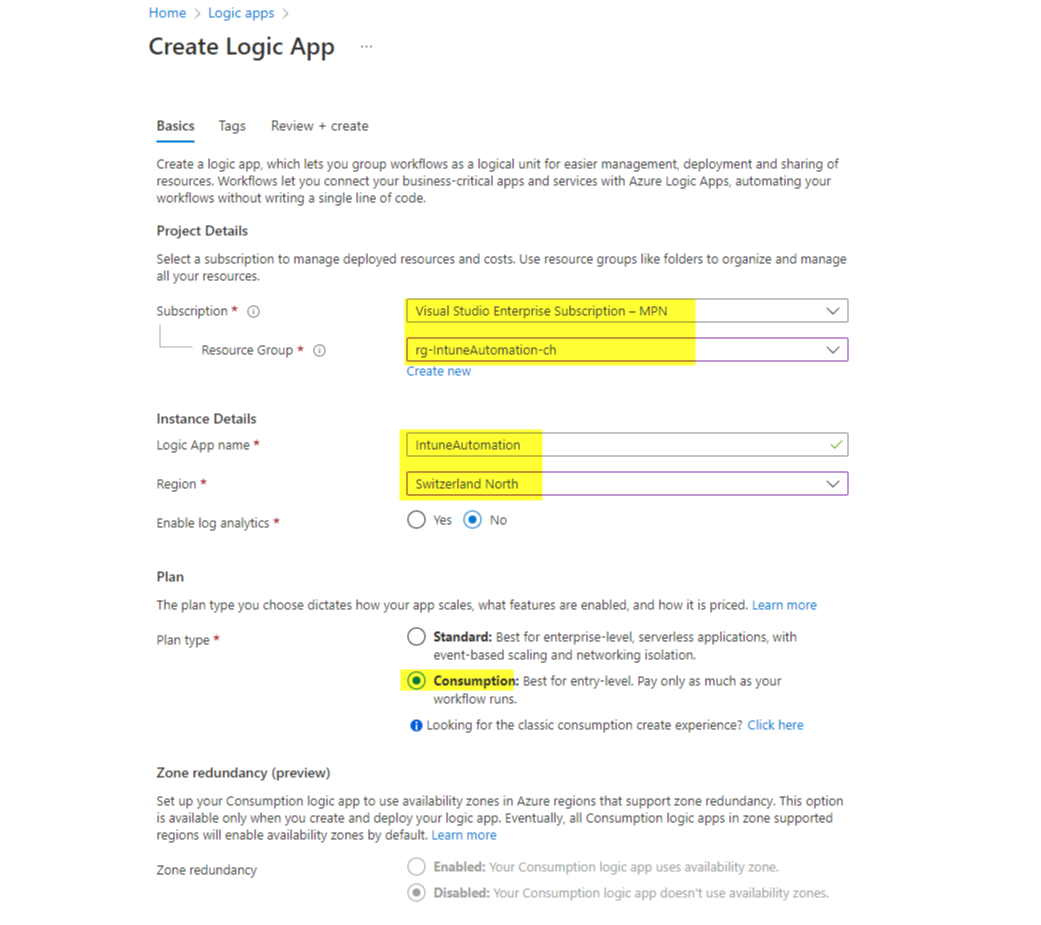
The creation of the Logic App is straightforward.
Managed Identity
In this post I already talked about Managed Identities and their advantages.
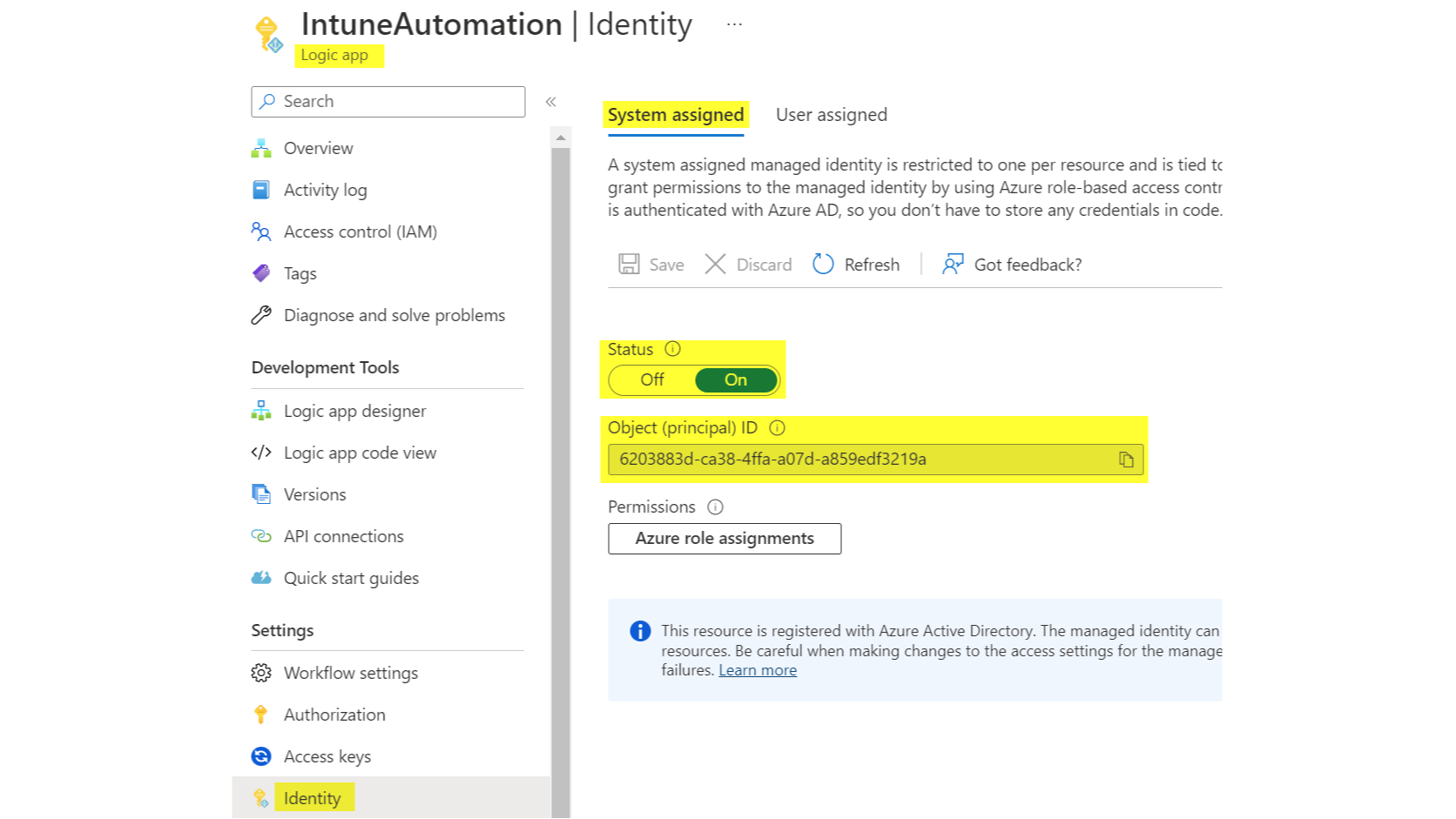
Now we need to activate and assign permissions to the Managed Identity of the Logic App. You can use my script. Note, that at least an Application Administrator role is required. You need to input:
- The Object ID of the Managed Identity (found in the Identity section of the Logic App)
- The permissions, find all Intune Device Management Graph permissions
(In my case I assigned the
DeviceManagementManagedDevices.Read.All permission)
Logic app design
Trigger
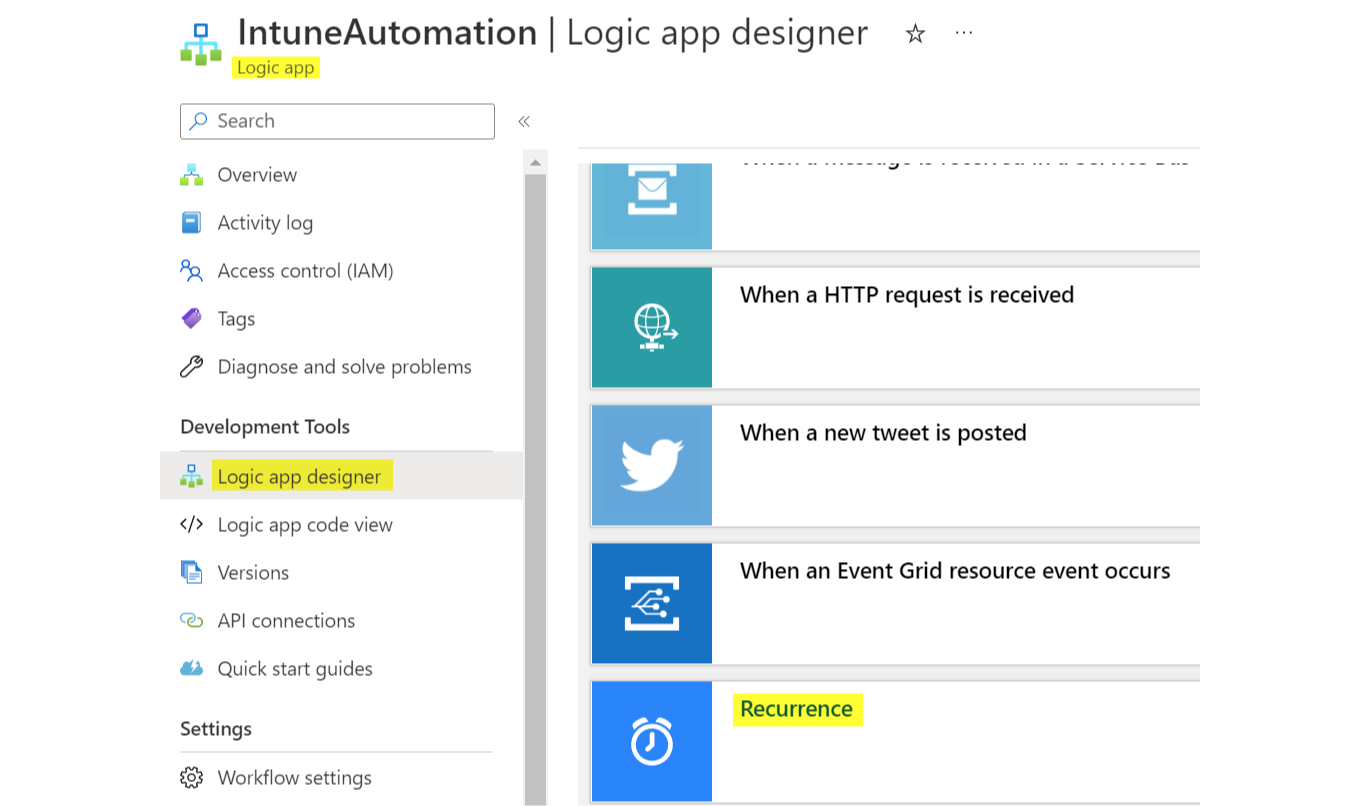
The trigger can be anything of a Logic app part, or simply a recurrence.
HTTP part
The HTTP part makes the effective call to Graph API and is composed of:
- Method (action)
- URI (resource)
- Authentication (effective request part)
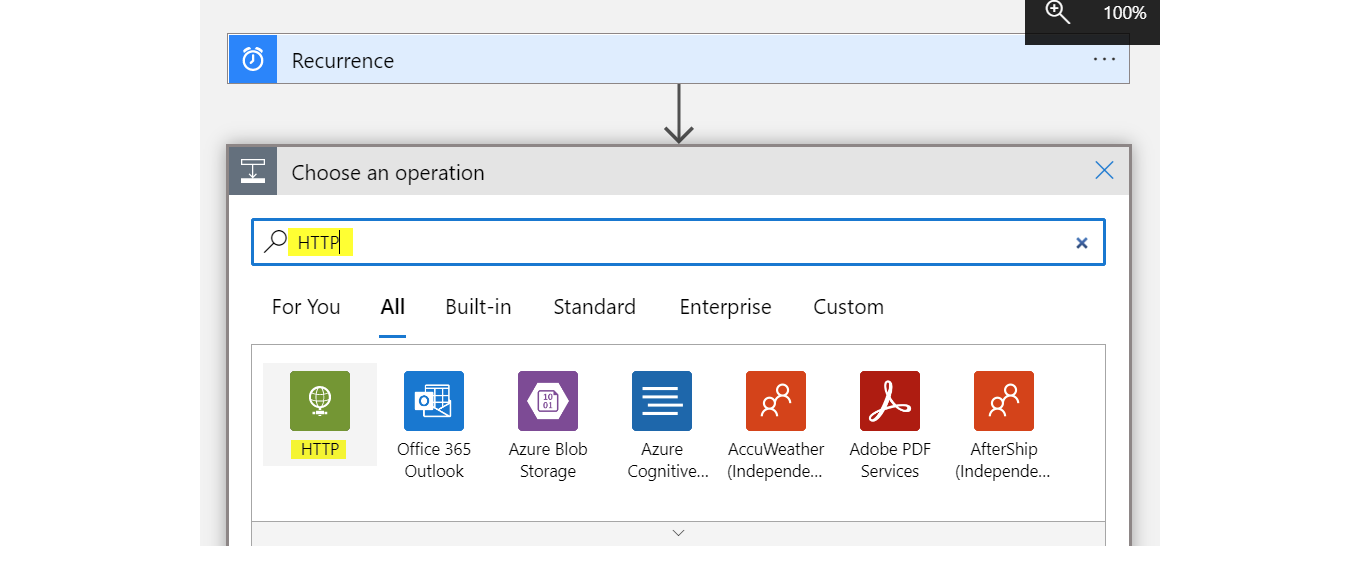
Method
Available methods: GET / POST / PUT / PATCH / DELETE
URI
The URI is the resource request URL, so the Graph destination of the data.
https://graph.microsoft.com/{version}/{resourcetype}/{resource}?[query_parameters]
Pro tip: you should make yourself familiar with OData system query options
Examples
So for the URI, I will make some examples:
Remember to put https://graph.microsoft.com/beta/deviceManagement/ before the URI.
| URI | Resource |
|---|---|
| /managedDevices | All Intune devices including attributes |
| /configurationPolicies?$filter=platforms%20eq%20%27windows10%27 | All Settings Catalog profiles for Windows 10 -I used a filter (?$filter) and set it to the platform = windows 10 %20 = space and %27 = " |
| /intents?$filter=templateId%20eq%20%27ccef13ea-d0a2-49b5-9a8a-5e397faeb9e4%27 | All Endpoint Security profiles from the type Antivirus (current templateId) |
| /deviceCompliancePolicies?$expand=assignments | All Compliance policies with their assignments -The expansion ($expand) allows to return non-default attributes of an item |
Authentication
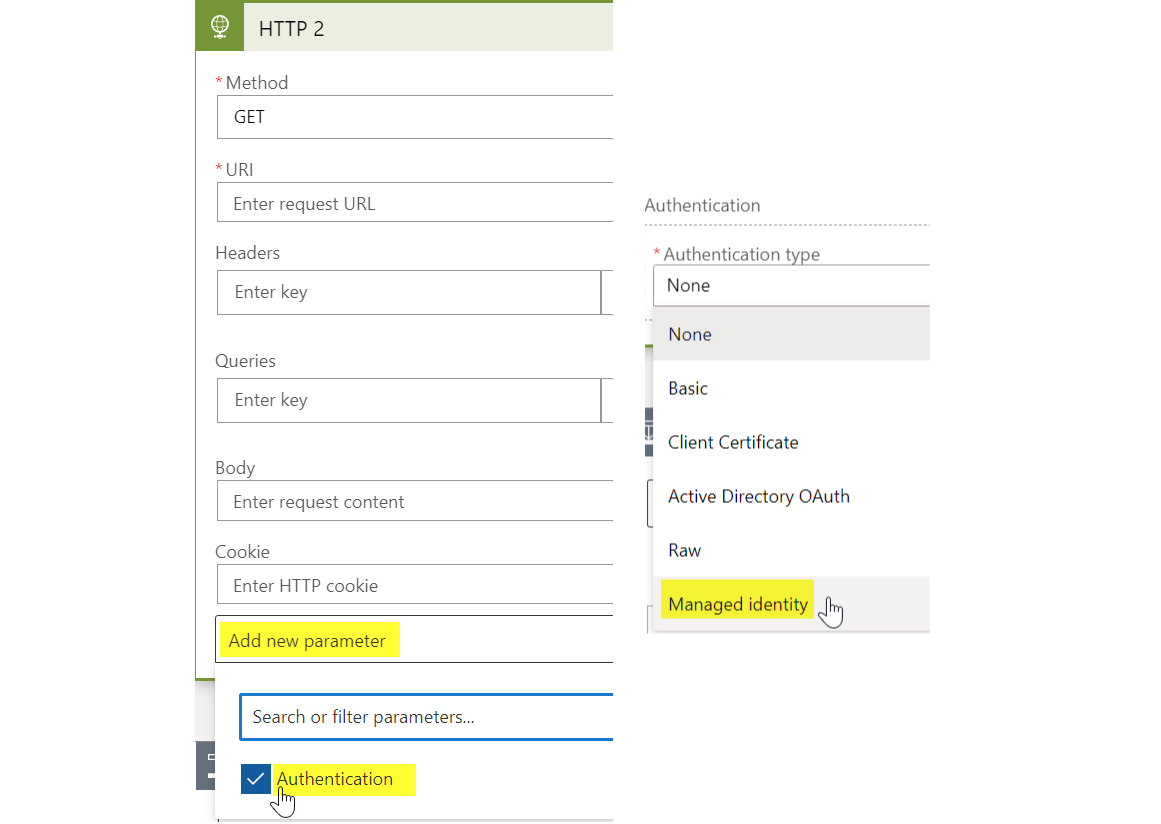
The Authentication must be optionally added and selected as the system-assigned Managed Identity. View more in the official docs
Don't forget to specify the Audience = https://graph.microsoft.com
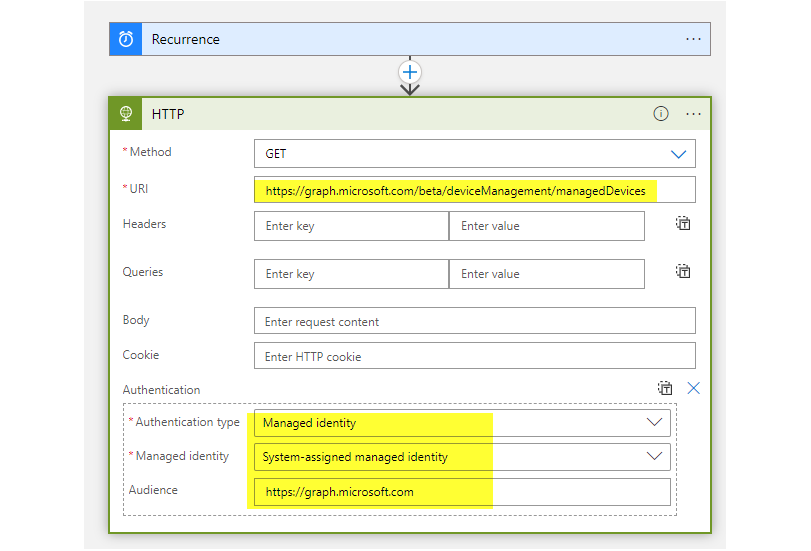
This is an example HTTP part.
Output - use case: write to Azure Storage Account / Intune inventory in a nutshell
For this example case, I am going to export the output/response from Graph API to an Azure Storage Account. But the possibilities are nearly endless.
As you can see, everything worked fine and we receive the Graph API response.
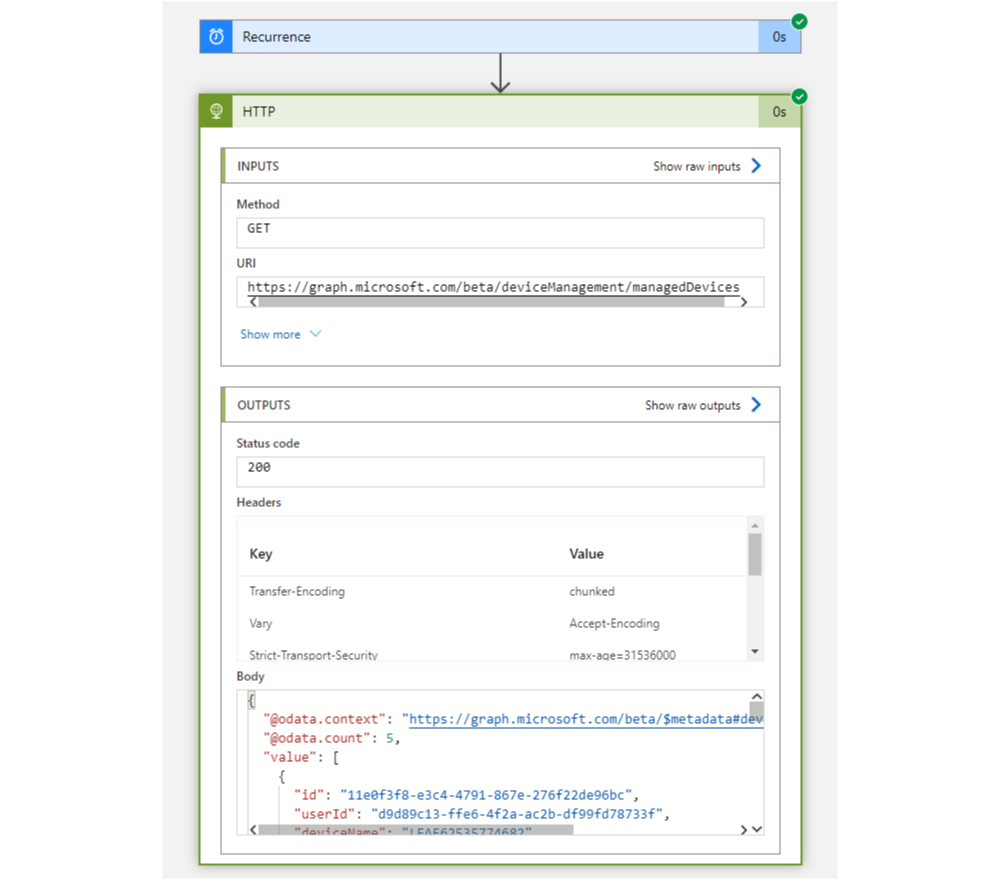
- Now I would recommend to copy the body (output) from the HTTP part.
- Add a Parse JSON action to format the output.
- Add dynamic content as input and select the body from the HTTP part.
- Use a sample payload to generate schema (tip).
- Insert the previously copied body (output) and verify it.

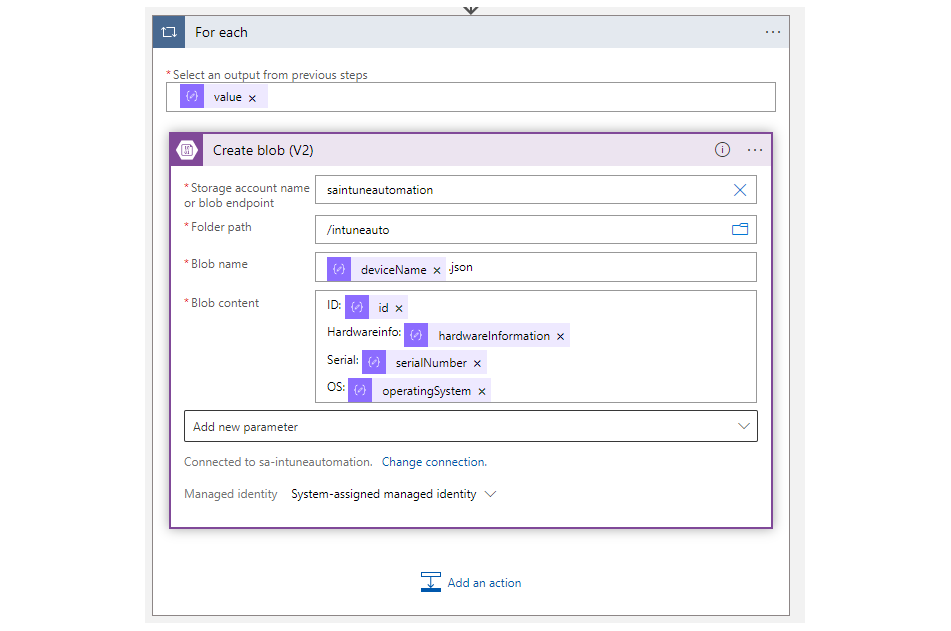
- Then add a For each (because there are multiple devices that have the same attributes) and select value. (This can also be generated automatically if you select any dynamic content that is not unique.)
- Add Create blob (V2) and create a connection, choose the Storage Account name. (The SA must be previously created and permissions given also through Managed Identity. e.g. Storage Blob Data Contributor)
- You can then choose a folder path and specify a blob name. I want to create one ".json" file per device and name it after the deviceName.
- Insert any dynamic Blob content.
Hints
- The Storage Account name may be entered manually.
- Don't forget to add a file type extension.
- If the dynamic content can't be selected, you need to click on "See more" on the Dynamic content page.
- Some dynamic contents of the parse JSON part are duplicate. You need to choose the right one. (Usually the one that is listed second.)
En voilà, there is a custom Intune inventory solution in a nutshell, securely built on Azure.
Use cases
- Get an daily device report via email or teams with logic apps by Jannik Reinhard
- Connector, certificate and token status by Peter van der Woude
- Monitor your Microsoft Intune environment by Peter Klapwijk
- Report changes in Microsoft Intune by Mattias Melkersen
- Export and import MEM Endpoint Security Profiles by Nicola Suter
 Niklas Tinner
 Niklas Tinner
 Niklas Tinner